
ChatGPT Ads: How They Work and Who Should Run Them
ChatGPT Ads: How They Work and Who Should Run Them
Online advertising is changing as more people use AI tools to search for information and compare products. Businesses are now getting a new option to reach customers through ChatGPT Ads.
ChatGPT Ads help businesses show their products and services to people who are exploring options or making buying decisions. Instead of depending only on search engines and social media platforms, businesses can now consider advertising inside an AI chat experience.
But how do ChatGPT Ads work? How much do they cost? And are they right for every business?
In this blog we will explain how ChatGPT advertising works and which businesses should consider using it.
What Are ChatGPT Ads?
ChatGPT Ads are paid advertisements that appear within the ChatGPT experience. They give businesses another way to reach potential customers while they are researching a topic or comparing different options.
For example a person may ask ChatGPT about the best website design services for a small business. A relevant sponsored ad may help them discover a company offering those services.
These ads are different from normal ChatGPT answers. They are clearly marked as sponsored and shown separately from the main response.
ChatGPT Ads are designed to connect businesses with people who may already be interested in a related product or service.
Businesses can use this advertising option to build brand awareness and bring visitors to their websites.
How Do ChatGPT Ads Work?
ChatGPT Ads use the context of a conversation to find relevant advertising opportunities. The system considers the topic being discussed along with information about the ad and its landing page.
Here is how the process works.
1. A User Starts a Conversation
A person uses ChatGPT to learn something or compare different options.
For example a user may ask about website design costs or ways to improve online sales.
This conversation helps the advertising system understand the general topic and the user’s current intent.
2. The System Finds Relevant Ads
The advertising system checks eligible ads to find one that may be relevant to the conversation.
Advertisers can provide information about the topics where their products or services may be useful. These details help guide ad matching but do not guarantee that an ad will appear for every related conversation.
3. The Ad Appears Separately
When a suitable ad is selected it can appear below the ChatGPT response.
The ad may include the advertiser’s name and logo along with a headline description and website link.
Users can identify it as a paid placement. It is not part of the answer written by ChatGPT.
4. The User Can Visit the Website
If the user finds the ad useful they can click the link and visit the business website.
The landing page should explain the service or product clearly. It should also make the next step easy such as requesting a quote or contacting the business.
5. Advertisers Check the Results
Businesses can review campaign reports to understand how their ads are performing.
Depending on the campaign setup and available measurement options they can track impressions clicks spending and conversions.
This information helps advertisers understand whether their campaigns are bringing useful traffic and business results.
What Makes ChatGPT Ads Different From Google Ads?
Google Ads and ChatGPT Ads both help businesses reach potential customers. However they work in different ways.
Google Search Ads mainly target people through search queries and keyword based campaigns. ChatGPT Ads use conversation context and other advertising signals to find relevant opportunities.
For example someone searching for an SEO agency may see Google Ads related to that search. A person discussing how to improve website traffic with ChatGPT may have a chance to see a relevant sponsored ad.
The main difference is how people express their needs.
On a search engine people often type short keywords. In ChatGPT they can explain their problems in full sentences and ask follow up questions.
This gives advertisers another way to reach people while they are exploring possible solutions.
However ChatGPT Ads are not a replacement for Google Ads. Both platforms can serve different marketing goals and may work well together.
ChatGPT Ads vs Google Ads vs Social Media Ads
Here is a simple comparison of the three advertising options.
| Feature | ChatGPT Ads | Google Ads | Social Media Ads |
| Main approach | Conversation context | Search intent and other targeting options | Audience and interest targeting |
| User activity | Asking questions and comparing options | Searching for products or services | Browsing feeds and content |
| Main opportunity | Relevant discovery during a conversation | Reaching people searching for solutions | Building awareness and interest |
| Common goal | Awareness and website visits | Leads sales and website traffic | Awareness engagement and sales |
| Measurement | Campaign reports and available conversion tracking | Clicks leads sales and other campaign metrics | Reach engagement leads and sales |
The best option depends on your business goals budget and target customers. It is better to compare actual results than assume one platform will always perform better.
Who Should Run ChatGPT Ads?
ChatGPT Ads may be useful for businesses that want to reach people while they are learning about products or comparing services.
However not every business needs to start advertising on this platform immediately.
1. Digital Marketing Agencies
Digital marketing agencies in Mississauga can consider ChatGPT Ads to reach businesses looking for help with SEO paid advertising website design and lead generation.
For example a business owner may be researching ways to improve website traffic or get more enquiries online.
A relevant ad from a digital marketing agency may help that business discover its services.
Agencies should use clear landing pages that explain their services pricing approach and contact details.
2. E-commerce Businesses
Online stores can consider ChatGPT Ads to promote products that match customer interests.
These may include home products clothing accessories and other eligible product categories.
The product page should have clear images accurate details and an easy buying process.
Before spending money businesses should check whether their products and advertising claims meet the platform’s current policies.
3. Local Service Businesses
Local businesses may also find opportunities through AI advertising.
Examples include website designers cleaning companies home improvement services and other eligible local service providers.
A business should explain the areas it serves and make it easy for customers to contact the team.
Local service providers should also continue working on Google Business Profile and local SEO because customers may discover them through other channels.
4. Software and Technology Companies
Software companies can use advertising to reach people who are exploring tools for business operations marketing sales or productivity.
For example a company offering project management software may want to reach businesses comparing ways to manage their teams.
The landing page should explain the main features and pricing. A free trial or product demo may help interested users take the next step.
5. Education and Online Learning Businesses
Education companies can consider promoting eligible courses and learning products to people exploring new skills.
This may include professional training online courses and educational tools.
The ad should explain what learners can expect and who the course is suitable for. Businesses should avoid making claims about guaranteed jobs or income.
6. Startups and Small Businesses
ChatGPT Ads may give startups and small businesses another way to introduce their products to potential customers.
Small businesses should begin with a clear campaign goal and a budget they can afford to test.
They should not assume that a new advertising platform will automatically bring more customers. Campaign results depend on factors such as audience relevance ad quality competition and the website experience.
Who Should Avoid ChatGPT Ads for Now?
ChatGPT Ads may not be the right choice for every business.
You should think carefully before investing if:
- Your target customers do not use ChatGPT for product or service research.
- Your website is confusing or does not explain your offer clearly.
- You cannot track leads or sales from advertising.
- Your budget is too limited to test the campaign properly.
- Your product or service is not allowed under the current advertising policies.
- You expect immediate sales without testing and improving the campaign.
Businesses with these problems should first improve their website and marketing setup.
It is also important to check the latest advertising rules because eligibility can differ by product category and campaign location.
How Much Do ChatGPT Ads Cost?
The cost of ChatGPT Ads depends on the campaign objective bidding method competition and available advertising options.
OpenAI’s advertising platform supports impression based and click based buying options. The available choices depend on the campaign setup and current platform features.
Cost Per Thousand Impressions
Cost per thousand impressions is commonly called CPM.
In this model advertisers pay based on the number of times their ads are shown. It can be useful when the main goal is to increase brand awareness and reach more people.
Cost Per Click
Cost per click is called CPC.
In this model advertisers pay for valid ad clicks. It can be useful when the goal is to bring people to a website.
However a click does not always lead to a sale or enquiry. Businesses should check the quality of the traffic and the final cost of getting a customer.
Set a Budget Before Starting
Before launching a campaign decide how much you can spend on testing.
Also decide what result matters most. It may be website visits qualified leads product sales or brand awareness.
Do not judge the campaign only by the number of clicks. A campaign that brings fewer but more relevant visitors may be more useful than one that brings a large number of visitors who never become customers.
For the latest pricing and bidding options visit the official OpenAI Ads website.
How to Start Advertising on ChatGPT
Businesses can get started through the official OpenAI advertising platform. Availability and account access may depend on the current rollout and advertiser eligibility.
Follow these steps to prepare your campaign.
Step 1. Create an Advertising Account
Visit the official ChatGPT advertising website and check the available sign up options.
Complete the account setup and provide the required business and payment information.
Step 2. Choose Your Campaign Goal
Decide what you want to achieve.
Your goal may be brand awareness website traffic or conversions.
Choose the goal that matches your business needs and the options available in Ads Manager.
Step 3. Set Your Budget and Bids
Choose a budget that you can afford to test.
Your bidding method should match the campaign goal. For example an impression based campaign may suit brand awareness while click based bidding may suit website traffic.
Step 4. Prepare Your Ad
Write a clear headline and a short description of your offer.
Explain what your business provides and why it may be useful to the customer.
Use accurate claims and make sure the ad follows OpenAI’s advertising policies.
Step 5. Select Relevant Topics
Provide useful context about the conversations or topics where your product or service may be relevant.
For example a website design company may focus on topics related to website development and business websites.
These context hints guide ad matching but do not work like exact match keywords in a traditional search campaign.
Step 6. Check Your Landing Page
Make sure the page opens properly on mobile and desktop devices.
The page should explain your service or product and include a clear next step. Remove confusing content and make sure your contact details work.
Step 7. Launch and Monitor the Campaign
After launching check the available campaign reports regularly.
Review impressions clicks spending and conversions where tracking is available.
Use the results to decide whether to improve the ad change the landing page or adjust the budget.
How to Create a New Instagram Account for Business: A Step-by-Step Guide
How to Create a New Instagram Account for Business: A Step-by-Step Guide
With over 2 billion active users, Instagram has become one of the most powerful platforms for businesses to connect with customers, showcase products, and build brand loyalty. If you’re ready to tap into that audience, the first step is learning how to create a new Instagram account for business. In this guide, we’ll walk you through exactly what an Instagram Business Account is, why it matters, and how to set one up in just a few minutes. By the end, you’ll have everything you need to start posting, engaging, and growing your brand’s presence.
What is an Instagram Business Account?
An Instagram Business Account is a specialized profile type designed specifically for brands, creators, and companies looking to use the platform for commercial purposes. Unlike a personal account, a business account unlocks additional tools like analytics, contact buttons, and advertising capabilities. It also allows you to add essential business details—like your address, phone number, and website—directly to your profile, making it easier for potential customers to reach you.
When you create an Instagram business account, you’re essentially giving your brand a professional storefront within the app. Customers can browse your content, learn about your offerings, and get in touch, all without ever leaving the platform.
Benefits of an Instagram Business Account
Before diving into the setup process, it’s worth understanding the benefits of an Instagram business account and why so many companies are making the switch.
One of the biggest benefits of a business account on Instagram is access to Instagram Insights, a built-in analytics tool that shows you how your posts, stories, and overall account are performing. You can track metrics like reach, engagement, and follower demographics, which helps you refine your content strategy over time.
Another major advantage is the ability to run ads directly through the app. Business accounts can promote individual posts or create entirely new ad campaigns using Instagram’s advertising platform, giving you precise control over who sees your content.
A business profile also adds credibility. Visitors immediately recognize your account as a legitimate company rather than a personal page, thanks to features like a “Contact” button, a category label (such as “Clothing Store” or “Restaurant”), and clickable links for calling, emailing, or getting directions.
Finally, business accounts make it simple to showcase products directly within the app. If you sell physical goods, you can tag products in your posts and stories, allowing users to shop without ever leaving Instagram.
How to Create a New Instagram Account for Business (Step-by-Step)
Ready to get started? Here’s exactly how to make a business account on Instagram, whether you’re starting fresh or converting an existing profile.
Step 1: Download the Instagram App
If you haven’t already, download Instagram from the App Store or Google Play. The app is free and available on both iOS and Android devices.
Step 2: Sign Up with a New Email or Phone Number
To create a new Instagram account for business, tap “Create New Account” and sign up using a dedicated business email address or phone number. Keeping your business account separate from your personal one makes management far easier down the road.
Step 3: Choose a Username That Reflects Your Brand
Select a username that’s recognizable and closely matches your business name. Consistency across social platforms helps customers find you more easily, so try to use the same handle you use on other channels when possible.
Step 4: Switch to a Professional Account
Once your profile is created, head to your account settings and look for “Switch to Professional Account.” Instagram will then ask you to choose between “Creator” and “Business.” Select Business to unlock the full suite of commercial tools.
Step 5: Select Your Category
Next, you’ll be prompted to choose a category that best describes your business, such as “Retail Company,” “Local Business,” or “Restaurant.” This label appears on your profile and helps users quickly understand what you offer.
Step 6: Add Your Contact Information
Fill in your business details, including phone number, email address, and physical location if applicable. This step is crucial, as it enables the contact buttons that make it easy for customers to reach you directly.
Step 7: Connect to a Facebook Page (Optional but Recommended)
Linking your Instagram business account to a Facebook Page allows you to manage both platforms simultaneously and access additional advertising tools through Meta Business Suite. This step is optional, but highly recommended if you plan to run paid campaigns.
Step 8: Complete Your Profile
Finally, add a profile picture (typically your logo), write a compelling bio that explains what you do, and include a link to your website or online store. This is your first impression, so make it count.
And that’s it! You now know how to create a new business Instagram account from start to finish.
Instagram Business Account Features
Once your account is set up, it’s time to explore the business account Instagram features available to you. These tools are designed to help you understand your audience, streamline communication, and grow your brand more effectively.
Instagram Insights gives you a detailed breakdown of how your content is performing, including impressions, reach, profile visits, and follower activity over time.
Quick Replies and Automated Messages in your inbox allow you to respond to common customer questions faster, saving you time while maintaining responsiveness.
Shopping Tags let you tag products directly in posts and stories, turning your content into a shoppable experience for followers.
Promotions enable you to boost posts or stories with just a few taps, extending your reach to targeted audiences based on location, interests, and demographics.
Contact Buttons appear prominently on your profile, giving visitors a one-tap way to call, email, or get directions to your business.
Together, these features transform your Instagram profile from a simple photo-sharing account into a genuine marketing and customer service hub.
Best Way to Post on Instagram for Business
Setting up your account is only half the battle—consistently posting engaging content is what actually drives results. So, what’s the best way to post on Instagram for business?
Start by developing a consistent posting schedule. Research shows that brands who post regularly, whether that’s three times a week or once a day, tend to see higher engagement than those who post sporadically. Use Instagram Insights to identify when your specific audience is most active, and schedule your posts accordingly.
Next, prioritize high-quality visuals. Instagram is a visual-first platform, so invest time in good lighting, clean composition, and consistent branding (such as using the same filter or color palette) across your posts.
Mix up your content formats, too. Combine static photos, carousel posts, Reels, and Stories to keep your audience engaged and to take advantage of Instagram’s algorithm, which often favors video content like Reels.
Don’t forget to write captions that encourage interaction. Ask questions, invite followers to share their opinions, or include a clear next step, like visiting your website or checking out a new product.
Finally, use relevant hashtags strategically. A mix of broad, niche, and branded hashtags can help new users discover your content while still reaching your existing audience.
Final Thoughts
Learning how to create a new Instagram account for business is a straightforward process, but the real value comes from how you use the platform afterward. By taking advantage of features like Insights, shopping tags, and promotions, and by consistently posting content that resonates with your audience, you’ll be well on your way to building a strong, engaged community around your brand.
Ready to get started? Open the app, follow the steps above to create your business profile, and start sharing your story with the world today.
How to Add (Pin or Create) Your Business Location on Instagram
How to Add (Pin or Create) Your Business Location on Instagram
If you run a local business, Instagram is more than a place to post pretty photos. It’s a discovery tool. When someone searches for a coffee shop, boutique, or gym nearby, a well-tagged location can be the difference between landing on their radar or getting scrolled past entirely. Adding your business location to Instagram helps customers find you, builds trust through check-ins and tagged photos, and makes your content eligible to appear in location-based searches and the Instagram map.
In this guide, you’ll learn exactly how to add a location to your Instagram profile, posts, and Stories, how to create a custom business location if one doesn’t already exist, and how the Instagram map feature ties it all together. By the end, you’ll have a clear, repeatable process for mapping your Instagram presence to your real-world storefront.
What Is the Instagram Map Feature?
The Instagram map feature allows users to explore posts and Stories based on where they were shared. Think of it as a visual directory of tagged locations—when someone taps a location tag on a post, they’re taken to a page showing every public post tied to that spot. For businesses, this is prime real estate. A steady stream of location-tagged posts, whether from your own account or happy customers, helps your business show up when people browse the map near your area.
Understanding mapping Instagram content this way is the first step toward using location tags strategically rather than as an afterthought.
How to Add a Location to Your Instagram Profile (Business Address)
Before you tag anything, it helps to have your business location properly set up on your profile. Here’s how do you add a location to Instagram at the profile level:
- Open your Instagram app and go to your profile.
- Tap Edit Profile.
- Scroll down and look for the Contact Options or Business Information section (this appears if you have a Professional or Business account).
- Tap Business Address and enter your street address, city, and postal code.
- Save your changes.
If you haven’t switched to a Business or Creator account yet, do that first under Settings > Account Type and Tools. This unlocks location fields, contact buttons, and insights that personal accounts don’t have.
How to Add a Location to an Instagram Post (Step-by-Step)
This is the most common question business owners ask: how to add a location in Instagram posts so they show up in local searches. Here’s the process:
- Create your post as usual by tapping the + icon and selecting your photo or video.
- On the screen where you add a caption, tap Add Location.
- Type your business name or address into the search bar.
- Select your business from the list if it appears, or continue typing until you find the closest match.
- Finish your caption, add hashtags, and tap Share.
That’s the full answer to how do I add a location to Instagram for a standard feed post. Once shared, your post becomes searchable under that location tag, and anyone who taps it will see your content alongside other posts from the same spot.
How to Add a Location to an Instagram Story
Instagram Stories work a little differently, but the instagram location sticker makes it just as easy:
- Create your Story by swiping right from your feed or tapping the + icon and selecting Story.
- After choosing your photo or video, tap the sticker icon at the top of the screen.
- Select the Location sticker from the menu.
- Search for and select your business location.
- Resize or reposition the sticker as needed, then tap Your Story to share.
Using the location sticker regularly on Stories is a simple, low-effort way to keep your business visible on the instagram map feature, especially if you post Stories more often than feed content.
How to Create/Pin a Custom Business Location on Instagram
Sometimes you’ll search for your business and nothing comes up. That typically means your location hasn’t been added to Facebook’s location database, which Instagram pulls from. Here’s how to add a location on IG when you need to create one from scratch:
- Open the Facebook app (yes, Facebook, since Instagram locations are tied to Meta’s shared location database).
- Tap the search bar and enter your business name and address.
- If nothing matches, tap Add a Place or Create New Page depending on what’s prompted.
- Fill in your business name, category, and address accurately.
- Save the new location.
- Return to Instagram, start a new post or Story, and search for your business name under Add Location. It should now appear, sometimes within a few minutes, though it can occasionally take a day or two to sync.
Double-check your spelling and address formatting when creating a new pin. Inconsistent naming (like “Joe’s Cafe” versus “Joes Cafe NYC”) can create duplicate locations and dilute your tagged posts across multiple pages.
Instagram Map Feature – What It Is and How It Works
Once your location exists and you’ve started tagging posts, your business becomes part of the broader instagram map ecosystem. Here’s what that looks like in practice:
- Users can tap any location tag to view a dedicated page for that spot, showing recent and top posts.
- Nearby businesses often appear together when someone explores a neighborhood or city on the map.
- Repeated tagging from your account and from customers strengthens your presence in that location’s feed, making it more likely your posts surface first.
The more consistently you and your customers tag your correct business location, the more authority that location page builds, similar to how consistent backlinks strengthen a website’s SEO.
Tips for Using Instagram Location to Boost Local Visibility
A few practical habits make a noticeable difference over time:
- Tag your exact business location on every post and Story, not just occasionally. Consistency trains the algorithm and your audience to associate your content with that spot.
- Encourage customers to tag your location when they post about visiting. User-generated, location-tagged content builds credibility faster than your own posts alone.
- Pair location tags with local hashtags (like your neighborhood or city name) for added discoverability.
- Keep your business address updated if you move locations or open a second site, so customers aren’t directed to the wrong place.
- Check your location tag periodically to confirm it still links to the correct page, especially if your business has changed names or categories.
FAQs
How do I add a location to Instagram if my business isn’t listed?
Create the location through Facebook first, since Instagram pulls from Meta’s shared database. Once added there, it typically becomes searchable on Instagram shortly after.
How do you add a location to Instagram on an existing post?
Open the post, tap the three dots in the top right, select Edit, then tap Add Location and choose from the list.
How to add a location on IG without a Business account?
You can still tag locations on posts and Stories with a personal account. However, a Business or Creator account is required to add a business address to your profile and access location-based insights.
Why isn’t my business showing up when I search for it?
This usually means the location hasn’t been created yet, or there’s a naming inconsistency. Try searching for variations of your business name, or create a new location through Facebook if nothing matches.
Conclusion
Adding your business location to Instagram isn’t a one-time task you check off and forget. It’s an ongoing part of how local customers discover you, verify you’re legitimate, and decide to walk through your door. From setting your business address to tagging every post and Story, each step reinforces your presence on the instagram map and makes it easier for the right people to find you.
Start by confirming your business location exists and is accurate, then build the habit of tagging it on everything you share. Give it a few weeks of consistency, and you’ll likely notice more local engagement, more tagged customer photos, and a stronger footprint in your area’s Instagram map.
LLM SEO vs Traditional SEO: What Is the Difference and Which One Matters in 2026?
Search is changing.
For many years, businesses focused mainly on traditional SEO. The goal was simple. Get pages ranked on Google, attract organic traffic and convert visitors into customers.
But people are now using AI tools such as ChatGPT and other AI search platforms to find information, compare options and research products and services.
This has created a new area of search marketing often called LLM SEO.
LLM SEO focuses on making your brand and website easier for large language models to understand, trust and potentially mention when they generate answers.
Traditional SEO still matters. In fact, many of the basic principles remain important for both.
The main difference is how users find information and how the information is presented.
In traditional SEO, the main goal is often to get a webpage to rank in search results.
With LLM SEO, the goal can also include getting your brand or information understood and referenced in AI-generated answers.
For businesses in Brampton, understanding both can help build a stronger search strategy in 2026.
What Is Traditional SEO?
Traditional SEO means Search Engine Optimisation.
It is the process of improving a website so that it can appear in relevant search engine results.
Google uses many systems to understand webpages and decide which results are useful for a particular search.
Traditional SEO generally focuses on areas such as:
- Keyword research
- Search intent
- On-page SEO
- Technical SEO
- Content
- Internal linking
- Backlinks
- Website speed
- Mobile experience
- Structured data
- Local SEO
For example, if a company wants to rank for:
digital marketing agency in Brampton
its SEO strategy may include creating a strong service page, improving technical SEO, publishing useful supporting content and building relevant links.
The goal is to bring people from search engines to the website.
What Is LLM SEO?
LLM SEO refers to optimising a brand’s online presence so that large language models can better understand its information and potentially use or mention it when generating answers.
LLM stands for Large Language Model.
Tools based on large language models can understand natural language questions and generate answers based on the information available to them.
A user may ask:
What are some good digital marketing agencies in Brampton for a small business?
Instead of receiving a normal list of ten blue links, the user may receive an AI-generated answer that discusses different options.
For a business, this creates another type of visibility.
The company may want to be understood and considered by AI systems as well as traditional search engines.
LLM SEO vs Traditional SEO
The easiest way to understand the difference is to look at the main goal.
| Area | Traditional SEO | LLM SEO |
| Main goal | Rank webpages in search results | Improve visibility in AI-generated answers |
| Main platform | Search engines | AI and LLM-based search experiences |
| Search style | Keywords and queries | Natural language conversations |
| Content | Optimised for search intent | Clear and useful for AI and humans |
| Main result | Search ranking and traffic | Mentions, citations and AI visibility |
| Keywords | Important | Still useful but less central |
| Links | Important ranking signal | Useful as supporting evidence and discovery |
| Brand authority | Important | Very important |
| Structured content | Useful | Very useful |
| User experience | Important | Important |
| Follow-up questions | Usually separate searches | Part of the conversation |
| Measurement | Rankings, traffic, conversions | AI mentions, citations, referral traffic and conversions |
The two approaches are different but they overlap heavily.
Why Traditional SEO Still Matters
Some businesses believe AI search means traditional SEO is finished.
That is not true.
Google Search is still a major source of website traffic.
Google is also adding AI into its own search experience through features such as AI Overviews and AI Mode.
This means traditional SEO and AI search are becoming connected.
A website still needs to be crawlable, technically sound and useful.
Content still needs to satisfy search intent.
A business still needs authority and trust.
So businesses should not stop SEO.
Instead, they should expand their search strategy.
Why LLM SEO Is Becoming Important
People are changing how they search.
Instead of typing:
SEO company Brampton
they may ask:
What should I check before hiring an SEO company in Brampton?
The second question contains more context.
The user may want to know:
- What services an agency should provide
- How much SEO may cost
- How long SEO can take
- What questions to ask
- What warning signs to avoid
- How to compare agencies
An AI system can provide an answer that combines different pieces of information.
This means brands need to make their online information clear and easy to understand.
Traditional SEO Focuses on Rankings
One of the main differences is the result you are trying to achieve.
Traditional SEO often asks:
Where does my page rank for this keyword?
For example:
SEO agency in Brampton
You may check whether your page ranks in position 3, 8 or 20.
You can then work on improving the page.
With LLM SEO, you may ask a different question:
Does an AI search system mention my business when someone asks about SEO agencies in Brampton?
This is a different type of visibility.
LLM SEO Focuses More on Brand Understanding
AI systems need to understand what your company does.
If your website clearly explains your services, industries, locations and expertise, it becomes easier for systems to understand your business.
For example, an agency website should clearly explain:
Who we are
What services we provide
Who we work with
Which locations we serve
What problems we solve
What experience we have
This information should not be hidden inside complicated pages.
Clear information is useful for customers as well.
Keywords Still Matter
LLM SEO does not mean forgetting keywords.
Keywords are still useful because they help you understand what people are searching for.
But you should not write content by repeating the same keyword again and again.
For example, instead of writing:
SEO agency in Brampton
twenty times in one article, build useful content around related questions.
You could cover:
- What does an SEO agency do?
- How much does SEO cost?
- How long does SEO take?
- How do you choose an SEO agency?
- What SEO services should businesses expect?
- What results should businesses track?
This gives the page more useful information.
Search Intent Becomes Even More Important
Search intent is the reason behind a search.
Consider these two searches:
SEO
and:
How can SEO help a small business get more leads?
They are very different.
The first search is broad.
The second search shows a clear problem.
AI search is often used for these detailed questions.
So your content should focus on the problems your customers actually want to solve.
Content Structure Matters
Clear content structure helps both humans and search systems.
Use:
- Clear H1
- Useful H2 headings
- Short paragraphs
- Bullet points
- Tables where useful
- FAQs
- Direct answers
For example:
What Is LLM SEO?
Give the answer immediately.
Then explain the topic in more detail.
This makes the content easier to read.
Build Topic Clusters
One article is usually not enough to show strong knowledge about a subject.
If your business offers SEO, create related content around SEO.
For example:
Main page: SEO Services
Supporting content:
- Technical SEO Guide
- Local SEO Guide
- On-Page SEO
- Keyword Research
- Link Building
- SEO Audit
- Google Search Console
- SEO Reporting
- LLM SEO
- AI Search Optimisation
Link these pages together where relevant.
This helps create a clear topic structure.
Original Information Can Help
AI systems can already generate general information on many subjects.
This creates a challenge for businesses.
If your website simply repeats information found on hundreds of other websites, it may be difficult to stand out.
Try to provide something useful and original.
This could include:
- Case studies
- Original research
- Customer questions
- Industry observations
- Expert analysis
- First-hand experience
- Original examples
- Business processes
- Product comparisons
Original information can give people a reason to visit your website.
Brand Mentions Can Matter
Traditional SEO often focuses heavily on links.
Links are still important.
But when you think about AI visibility, brand mentions and information from different trusted sources can also be useful.
For example, a company may be mentioned on:
- Industry websites
- Business directories
- News websites
- Professional associations
- Review platforms
- Partner websites
- Relevant publications
The focus should be on real and relevant mentions.
Do not create fake mentions simply to influence AI systems.
Reviews and Business Information
For local and service businesses, accurate information is important.
Make sure your business details are consistent.
This includes:
- Business name
- Website
- Contact information
- Services
- Location
- Business description
Customer reviews can also help people understand your business.
For a Canadian company, clearly explain which parts of Brampton you serve if that is relevant to your business.
Structured Data and LLM SEO
Structured data helps search engines understand specific information on a webpage.
It can be useful for things such as:
- Products
- Reviews
- Organisations
- Local businesses
- Articles
- Events
- FAQs
Structured data is not a magic method for getting mentioned in AI answers.
But it can help search engines understand the information on your website.
Use the correct structured data for the content on the page.
Do not add markup for information that does not actually exist on the page.
Internal Linking Is Important
Internal links connect pages within your website.
Suppose your main page is about digital marketing services in Brampton.
You may have supporting pages about:
- SEO
- PPC
- Content marketing
- Local SEO
- Social media marketing
You can link between these pages where it makes sense.
This helps visitors discover more useful information.
It also helps search engines understand the relationship between pages.
LLM SEO and Traditional SEO Have the Same Foundation
Although the goals can be different, both approaches need a strong foundation.
Your website should be:
- Fast
- Mobile friendly
- Easy to crawl
- Easy to navigate
- Secure
- Well structured
- Useful
- Regularly updated
Your content should be:
- Accurate
- Clear
- Relevant
- Helpful
- Original where possible
Your brand should have:
- Clear business information
- A real online presence
- Relevant mentions
- Good customer experience
These fundamentals help whether a person finds you through Google or an AI search platform.
How to Optimise Content for LLM SEO
There is no guaranteed formula for appearing in an AI answer.
However, there are practical things businesses can do.
- Answer Questions Directly
If a user asks a question, answer it clearly.
Do not hide the answer behind five paragraphs.
- Explain Concepts in Simple Language
Avoid unnecessary jargon.
If your audience is business owners, write for business owners.
- Cover Related Questions
Think about what someone will ask next.
For example:
What is SEO?
A user may then ask:
How much does SEO cost?
Then:
How long does SEO take?
Create useful content around these connected questions.
- Show Real Experience
Use genuine case studies and examples where possible.
- Keep Content Updated
Old information can become inaccurate.
Review important pages regularly.
- Make Your Brand Easy to Understand
Clearly explain who you are and what you do.
LLM SEO for Canadian Businesses
Canadian businesses can use these principles when building their online presence.
For example, a company targeting Canadian customers should clearly explain its service area.
A digital marketing agency may create pages around:
Digital Marketing Services in Brampton
SEO Services in Brampton
PPC Services in Brampton
Local SEO Services in Brampton
But each page should have a different purpose.
Do not create multiple pages with nearly identical content simply to target different keywords.
Instead, make every page genuinely useful.
Should You Hire an SEO Agency in Brampton?
If you are a business owner, managing traditional SEO and AI search visibility can take time.
You may need to work on:
- Technical SEO
- Content
- Keyword research
- Website structure
- Local SEO
- Link building
- Analytics
- AI search visibility
A professional SEO agency in Brampton can help manage these areas based on your business goals.
However, always check what the agency actually provides.
Ask about:
- SEO process
- Reporting
- Content strategy
- Technical SEO
- Link building
- Conversion tracking
- Expected timelines
Avoid agencies that promise guaranteed Google rankings.
LLM SEO vs Traditional SEO: Which Is Better?
There is no need to choose only one.
Traditional SEO is still important.
LLM SEO is an additional area businesses should understand as AI search grows.
A strong strategy can include both.
Traditional SEO can help with:
- Google rankings
- Organic traffic
- Search visibility
- Local search
- Website discovery
LLM SEO can help focus on:
- AI search visibility
- Brand mentions
- AI citations
- Conversational queries
- Natural language content
- Brand understanding
The two strategies can support each other.
How to Measure Traditional SEO
Traditional SEO has many established metrics.
You can track:
- Organic traffic
- Keyword rankings
- Impressions
- Clicks
- Click through rate
- Backlinks
- Indexed pages
- Leads
- Sales
- Conversion rate
Google Search Console and analytics tools can help monitor many of these numbers.
How to Measure LLM SEO
LLM SEO measurement is still developing.
You may look at:
- Brand mentions in AI answers
- AI citations
- Referral traffic from AI platforms
- Branded search growth
- Leads influenced by AI discovery
- Questions where your brand appears
- Changes in brand visibility
The challenge is that AI answers can change based on the question, location, context and other factors.
So do not treat one AI response as a permanent ranking.
Monitor visibility over time.
Common LLM SEO Mistakes
Trying to Manipulate AI Answers
Do not create fake reviews, fake websites or fake mentions just to influence AI answers.
Focus on real business information.
Writing Only for AI
Your content should be written for people first.
If visitors cannot understand your content, AI visibility will not solve the problem.
Ignoring Traditional SEO
AI search does not mean Google has stopped mattering.
Traditional SEO remains an important part of online marketing.
Keyword Stuffing
Do not repeat keywords unnaturally.
Use keywords where they make sense.
Publishing Large Amounts of Low Quality Content
Publishing hundreds of similar AI-generated pages is not a good long-term strategy.
Create useful pages that serve a clear purpose.
Ignoring Brand Building
Your website is important, but your business should also have a real presence outside your own website.
What Should Businesses Do in 2026?
The best approach is to build a search strategy that covers both traditional and AI-powered search.
Start with the basics.
First, Fix Technical SEO
Make sure your website works properly.
Second, Improve Existing Content
Update important pages and remove outdated information.
Third, Answer Customer Questions
Create content around real questions.
Fourth, Build Topic Authority
Create useful supporting content around your main services.
Fifth, Build Your Brand
Get your business mentioned in relevant and trusted places.
Sixth, Track Results
Monitor Google traffic, conversions and AI-related visibility where possible.
Seventh, Keep Testing
AI search is still developing.
Do not assume that one tactic will work forever.
The Future of SEO
SEO is not disappearing.
It is changing.
Earlier, the main question was:
How do I rank on Google?
Now businesses also need to ask:
How can my business become a useful source of information across search engines and AI search systems?
This is a bigger approach to search marketing.
The basic principles are still simple.
Understand your customers.
Create useful information.
Make your website easy to use.
Build trust.
Keep your information accurate.
And make your brand easy to understand.
Final Thoughts
LLM SEO and traditional SEO are not enemies.
They are two parts of a changing search environment.
Traditional SEO focuses mainly on improving website visibility in search engines and attracting organic traffic.
LLM SEO focuses more on how brands and information can be understood and surfaced in AI-generated answers.
For businesses, the best approach is not to abandon traditional SEO.
Instead, build a strong SEO foundation and prepare your website for AI-powered search as well.
If you are looking for digital marketing services in Brampton, your strategy should include more than keywords and rankings. Technical SEO, useful content, brand visibility, internal linking, local search and conversion tracking all matter.
AI search will continue to change.
But businesses that provide clear and useful information will continue to have an advantage.
The future of SEO is not only about ranking a page. It is also about becoming a trusted source that people and search systems can understand.
How to Set Up a ChatGPT Ads Campaign in 2026: A Complete Guide
Online advertising is changing as more people are using AI tools to search for information, compare products and find services.
ChatGPT is now becoming part of this changing search behaviour. Businesses can use ChatGPT Ads to reach people when they are having conversations around topics related to their products or services.
For businesses in Mississauga, this can create another way to reach potential customers along with Google Ads, social media advertising and SEO.
But setting up an advertising campaign on a new platform can feel confusing if you do not know where to start.
In this guide, we will explain how to set up a ChatGPT Ads campaign, what you need before starting, how campaign targeting works, how to create ad groups and ads and what businesses should check before spending money.
What Are ChatGPT Ads?
ChatGPT Ads are advertisements shown within supported ChatGPT experiences.
Instead of targeting only traditional keywords, the advertising system can use the context of a user’s conversation to make ads more relevant.
For example, imagine someone is asking:
I need help improving SEO for my Canadian business. What should I do?
A business offering SEO services may have an opportunity to reach that user with a relevant advertisement.
This is different from a normal keyword search where the user types a short phrase such as:
SEO agency Mississauga
The conversation itself can provide more context about what the person wants.
This is one of the reasons AI advertising can become useful for businesses that sell services or products that need some research before purchase.
Why Should Businesses Consider ChatGPT Ads?
People do not always search with short keywords.
They often ask complete questions.
For example:
What is the best way to get more leads from my business website?
Should I use SEO or Google Ads for my small business?
How much should a Canadian company spend on digital marketing?
These questions show more information about the user’s needs.
An advertising platform built around conversational search can use this type of context to make advertising more relevant.
For businesses, this can be another channel to reach potential customers.
However, ChatGPT Ads should not automatically replace Google Ads or SEO.
It is better to test the channel and compare results.
ChatGPT Ads vs Google Ads
ChatGPT Ads and Google Ads are not exactly the same.
Google Ads generally focuses heavily on search queries, keywords, audiences and other targeting options.
ChatGPT Ads are designed around advertising within an AI conversation experience.
Here is a simple comparison.
| Feature | ChatGPT Ads | Google Ads |
| Main environment | AI conversations | Google Search and other Google properties |
| Search behaviour | Conversational questions | Keywords and search queries |
| User intent | Can be broad and detailed | Often clear from search query |
| Ad format | Conversation-based environment | Search, display, video and other formats |
| Keyword focus | Less traditional | Strong keyword targeting |
| Follow-up questions | Natural part of AI conversations | Usually new searches |
| Best use | Testing AI-based customer discovery | Search demand and established intent |
Both platforms can be useful.
A business should choose based on its audience, goals and advertising budget.
What Do You Need Before Creating a ChatGPT Ads Campaign?
Before setting up a campaign, prepare a few basic things.
- Business Website
You should have a working website or landing page.
Your landing page should clearly explain:
- What your business does
- Who you help
- What services or products you offer
- Why customers should choose you
- How customers can contact you
Do not send paid traffic to a page that is confusing or difficult to use.
- Clear Offer
Your advertisement needs a clear reason for someone to click.
For example:
SEO Services for Canadian Businesses
is more useful than a vague message such as:
Grow Your Business Today
A clear offer helps people understand what they will get.
- Ad Creative
Prepare your:
- Business name
- Logo
- Ad headline
- Ad copy
- Image if required
- Landing page
Keep your message simple.
- Tracking
Before spending money, make sure you can measure what happens after someone clicks your ad.
Depending on your campaign setup, you may want to track:
- Website visits
- Contact form submissions
- Phone calls
- Quote requests
- Purchases
- Leads
Without tracking, it becomes difficult to know whether your campaign is actually working.
How to Set Up a ChatGPT Ads Campaign
The exact Ads Manager interface and available options can change as the platform develops. Always check the current options available in your account before launching a campaign.
The general process is straightforward.
Step 1. Open the Ads Manager
Start by accessing the ChatGPT Ads Manager and signing into your account.
You will need the required business and billing information before launching your campaign.
Step 2. Create a New Campaign
Look for the option to create a new campaign.
You will then need to choose your campaign settings.
The most important setting is your advertising objective.
Your objective should match your business goal.
For example:
- Awareness
- Website traffic
- Clicks
- Leads
- Conversions
Do not select an objective just because it sounds good.
Think about what you actually want from the campaign.
If you are a service business, leads may be more useful than simple website visits.
Step 3. Choose Your Campaign Budget
Budget is one of the most important parts of any advertising campaign.
Do not start by spending a large amount without testing your ads.
A better approach is to start with a controlled budget and collect enough data.
For example, a Canadian business may start with a test budget and then increase spending if the campaign produces good quality leads.
Your budget should depend on:
- Average customer value
- Cost per lead
- Sales conversion rate
- Competition
- Target audience
- Profit margin
The cheapest click is not always the best click.
A business should focus on the cost and quality of actual leads or sales.
Step 4. Select Your Target Country
If your business operates in Mississauga, select Mississauga as your target market where available.
You can then build your campaign around Canadian customers.
For example, a digital marketing company can target people looking for:
- SEO services
- Google Ads services
- Website development
- Social media marketing
- Local SEO
- Content marketing
Your landing page should also match the target market.
If you target Canadian customers, your website should clearly explain that your services are available to businesses in Mississauga.
Step 5. Create Ad Groups
Ad groups help organise your campaign around different topics.
Do not put every service into one ad group.
Instead, separate them based on user needs.
For example, a digital marketing campaign could have:
Ad Group 1: SEO
Topics can include:
- SEO agency
- SEO services
- Website ranking
- Organic traffic
- Technical SEO
Ad Group 2: Google Ads
Topics can include:
- Google Ads management
- PPC services
- Paid search
- Google Ads agency
Ad Group 3: Digital Marketing
Topics can include:
- Digital marketing services
- Online marketing
- Lead generation
- Marketing strategy
Ad Group 4: Local SEO
Topics can include:
- Local SEO
- Google Business Profile
- Local search
- Local business marketing
This structure makes it easier to create ads that match the user’s needs.
Step 6. Add Context Hints
Context hints can help define the types of conversations where your ads may be relevant.
For example, for an SEO campaign, relevant context could include:
Business owner looking for ways to improve Google rankings
Company wants more organic website traffic
Small business looking for an SEO agency
Business wants to improve local search visibility
These should describe real customer needs.
Do not add random topics just to increase reach.
Relevance is more important than trying to show your ad everywhere.
Step 7. Create Your Ad
Your ad should be simple.
A good ad usually explains:
- What you offer
- Who you help
- What benefit you provide
- What the user should do next
For example:
Headline: Digital Marketing Services for Canadian Businesses
Description: Get SEO, PPC and digital marketing support designed to help Canadian businesses reach more customers online.
CTA: Learn More
Keep the message connected to the landing page.
If your ad talks about SEO but your landing page mainly talks about web design, users may leave quickly.
Step 8. Choose the Landing Page
The landing page is very important.
Many businesses spend time creating an ad but send visitors to their homepage without a clear message.
A dedicated landing page can often be a better option.
For example, if your ad says:
SEO Services for Canadian Businesses
your landing page should focus on SEO.
It can include:
- SEO services
- Process
- Industries served
- Benefits
- Case studies
- FAQs
- Contact form
- Call to action
If you are promoting digital marketing services in Mississauga, create a page that clearly explains those services instead of sending every visitor to an unrelated page.
Step 9. Review Your Campaign
Before launching, check everything carefully.
Review:
- Campaign objective
- Budget
- Country
- Ad groups
- Context hints
- Ad copy
- Images
- Landing page
- Tracking
- Billing information
Make sure there are no spelling errors or broken links.
Step 10. Launch the Campaign
After checking the campaign, submit it for review if required.
Once approved and active, start monitoring the campaign.
Do not make major changes every few hours.
Give the campaign enough time to collect useful data before making decisions.
What Metrics Should You Track?
You should not judge a campaign only by impressions.
Look at the full customer journey.
Important metrics can include:
Impressions
How many times your ad was shown.
Clicks
How many people clicked the ad.
Click Through Rate
This shows how often people clicked after seeing the ad.
Cost Per Click
This tells you how much you are paying for clicks.
Leads
This is more important for service businesses.
Cost Per Lead
This tells you how much you are spending to generate a lead.
Conversion Rate
This shows how many visitors take the desired action.
Sales
For ecommerce businesses, actual sales are more important than traffic.
How to Improve ChatGPT Ads Performance
Once your campaign has enough data, you can start improving it.
Test Different Headlines
Do not depend on one headline.
Test different messages.
For example:
SEO Services for Canadian Businesses
Grow Your Organic Traffic With SEO
Professional SEO Services in Mississauga
Get More Leads From Google Search
Different messages may attract different users.
Test Different Offers
Instead of only saying:
Contact Us Today
you can test more useful offers such as:
Get an SEO Audit
Request a Strategy Call
Get a Free Website Review
Only use an offer if you actually provide it.
Do not make claims that your business cannot support.
Improve Your Landing Page
If you receive clicks but very few leads, the problem may not be the advertisement.
Your landing page could be the issue.
Check:
- Page speed
- Mobile design
- Headline
- Service information
- Trust signals
- Contact form
- Call to action
- Pricing information
A good advertisement cannot fix a poor landing page.
ChatGPT Ads for SEO Agencies
SEO agencies can be an interesting use case for AI advertising.
People often ask AI tools questions before they decide which marketing service they need.
For example:
How can I increase organic traffic to my website?
Should my business invest in SEO?
How long does SEO take?
What does an SEO agency do?
These questions show research intent.
A business can create useful content around these topics and also test paid advertising where relevant.
For an SEO agency in Mississauga, the campaign can focus on business owners who are looking for help with search visibility, website traffic and lead generation.
ChatGPT Ads for Digital Marketing Companies
Digital marketing companies can also use AI advertising to promote different services.
Instead of creating one broad campaign for everything, create campaigns around specific customer needs.
For example:
SEO Campaign
Focus on organic traffic and search visibility.
PPC Campaign
Focus on paid advertising and lead generation.
Web Design Campaign
Focus on website design and user experience.
Content Marketing Campaign
Focus on useful content and customer education.
This makes the advertising message easier to understand.
A company offering digital marketing agency in Mississauga services can also create content that answers common customer questions and then use paid campaigns to reach relevant audiences.
ChatGPT Ads for Small Businesses
Small businesses need to be careful with advertising budgets.
You do not need to compete with large companies by spending huge amounts of money.
Instead, focus on relevance.
For example, a small Canadian business may focus on one service and one customer group.
Instead of:
Digital Marketing for Everyone
try:
SEO Services for Canadian Small Businesses
The second message is more specific.
A focused campaign can make it easier to understand which type of customer is responding.
Should You Use ChatGPT Ads or Google Ads?
For most businesses, it does not have to be an either-or decision.
You can test both.
Google Ads can be useful when customers are actively searching for a service.
ChatGPT Ads can be useful for reaching people during AI-based research and conversations.
For example, someone may search Google for:
SEO company Mississauga
while another person may ask an AI:
How can I find a good SEO company for my Canadian business?
Both users may have commercial intent.
The platforms simply provide different ways of reaching them.
ChatGPT Ads and SEO Should Work Together
Paid advertising should not replace SEO.
In fact, SEO and paid advertising can support each other.
Your SEO content can help answer customer questions.
Your paid campaigns can help you reach relevant audiences faster.
The data from advertising can also help you understand which messages and offers attract customers.
A good digital marketing company in Mississauga can use both paid and organic strategies based on the business goals.
Common Mistakes to Avoid
- Starting With a Large Budget
Do not spend a large amount before understanding campaign performance.
Start with testing.
- Targeting Everyone
Broad targeting may bring traffic that is not useful for your business.
Be clear about your customer.
- Using One Ad for Everything
Different services need different messages.
Create separate ad groups when the customer intent is different.
- Sending Traffic to the Wrong Page
Your landing page should match your ad.
- Ignoring Conversion Tracking
Clicks do not automatically mean business.
Track leads and sales.
- Changing Campaigns Too Quickly
Give your campaign enough time to collect data.
- Making Unsupported Claims
Do not promise guaranteed rankings, guaranteed leads or guaranteed sales.
Your advertising should be honest.
Is ChatGPT Advertising Worth Trying in 2026?
It can be worth testing for businesses that want to reach customers through AI-based search and conversations.
But every business is different.
Before investing heavily, test the channel with a controlled budget.
Compare it with your existing marketing channels.
Look at the quality of leads, not just the number of clicks.
If ChatGPT Ads bring fewer clicks but better leads, the campaign may still be valuable.
If you receive a lot of traffic but very few enquiries, you need to review the targeting, ad message or landing page.
How ROIExpert Can Help With AI and Digital Marketing
The online search journey is changing.
Customers are using search engines, social media, websites and AI tools to research businesses before making decisions.
This means businesses need a wider digital marketing plan.
ROIExpert can help businesses focus on important areas such as SEO, paid advertising, content marketing and website optimisation.
If your business operates in Mississauga, Canada, working with a digital marketing agency in Mississauga can help you plan campaigns around your target customers and business goals.
The focus should not only be on getting traffic.
The bigger goal is to attract the right people and turn website visitors into enquiries and customers.
Final Thoughts
ChatGPT Ads are part of the changing online advertising market.
Traditional search advertising is still important, but the way people find information is changing as AI becomes part of the search journey.
Businesses should not rush to move their entire advertising budget to a new platform.
Instead, start with a clear goal, a controlled budget and proper tracking.
Create relevant ad groups. Use clear context. Write simple ad copy. Send users to relevant landing pages. Track conversions and improve the campaign based on actual results.
For Canadian businesses, AI advertising can become another channel alongside SEO, Google Ads and other digital marketing services in Mississauga.
The businesses that understand how their customers search and research online will be in a better position to adapt as the search market continues to change.
The important thing is not to advertise everywhere.
Be present where your customers are looking and give them a clear reason to choose your business.
AI Search vs Google Search: What Is the Difference and What Should Businesses Focus On in 2026?
Search is changing quickly.
For many years, Google was the main place people went when they wanted to find information online. People typed a keyword into Google, checked the search results and visited different websites to find the answer.
Today, people have another option.
They can ask an AI search tool a complete question and get an answer in a conversational format. Tools such as ChatGPT Search and Google’s AI Mode can search the web, understand a question and provide an answer with links to relevant sources.
Google is also adding AI directly into its search experience. Google AI Overviews can provide an AI-generated summary with links to supporting websites. Google AI Mode goes further by allowing users to ask follow-up questions and explore more complex searches.
This does not mean Google Search is going away.
Instead, the way people search is changing.
For businesses, this creates a new question:
Should you focus on Google SEO or AI search visibility?
The simple answer is that you should prepare for both.
In this guide, we will explain the difference between AI search and traditional Google Search, how people use them, how businesses can adapt and what SEO may look like in 2026.
What Is Traditional Google Search?
Traditional Google Search is the search experience most people already know.
A user enters a keyword or question into Google. Google then shows relevant results from its index.
For example, someone may search:
best digital marketing agency in Mississauga
Google may show:
- Organic search results
- Paid advertisements
- Local results
- Featured snippets
- Images
- Videos
- Maps
- People Also Ask
- AI Overviews in some searches
The user then decides which result to click.
Google explains that its Search system uses ranking systems and different search features to connect people with useful information on the web.
Traditional search is still very important because people use Google for everything from finding businesses and products to researching services and learning about different topics.
What Is AI Search?
AI search uses artificial intelligence to understand a user’s question and provide a more direct answer.
Instead of giving the user a list of websites first, an AI search system can collect information from different sources and create a response.
For example, instead of searching:
SEO agency Brampton
A user might ask:
What should I look for when choosing an SEO agency in Brampton for a small business?
An AI search tool can understand the full question and provide a structured answer.
Modern AI search can also support follow-up questions.
For example:
User: What are the best SEO strategies for a small business?
AI: Gives an answer.
User: Which one should I start with if my budget is limited?
The user can continue the conversation without starting a completely new search.
ChatGPT Search can search the web for current information and provide links to relevant sources. It can also use follow-up questions while considering the context of the conversation.
AI Search vs Google Search
The biggest difference is the way information is presented.
Traditional Google Search mainly helps users find websites and information.
AI search tries to understand the question and provide a direct answer using information from the web and other available sources.
Here is a simple comparison.
| Feature | Google Search | AI Search |
| Main purpose | Find information and websites | Give a direct answer |
| Search style | Keywords and questions | Natural language questions |
| Results | Links and search features | AI-generated answers with sources |
| Follow-up questions | Possible but usually a new search | Natural part of the conversation |
| Research | User often opens several websites | AI can summarise information |
| Long questions | Supported | Very useful |
| Comparisons | Search multiple results | Can create a comparison |
| Content discovery | Very strong | Growing |
| Website clicks | Often important | Depends on the answer and citations |
| SEO | Still essential | Increasingly important in a new way |
The two systems are becoming closer.
Google itself is now combining traditional search with AI. Google AI Mode can break a complex question into different subtopics and search for information across them.
How People Use Google Search
Google is useful when someone wants to find a specific website, business, product or service.
For example:
digital marketing company in Brampton
SEO services Brampton
WordPress SEO plugins
best restaurants in Toronto
Google Search Console
These searches often have a clear purpose.
The user can look at several results and decide which website to visit.
Google Search is also useful when someone wants to compare different sources themselves.
For example, a person researching a digital marketing service may visit several agency websites before making a decision.
How People Use AI Search
AI search is especially useful for questions that need explanation or multiple steps.
For example:
How can I improve my website SEO if I have a small marketing budget?
Or:
Compare SEO and Google Ads for a small business in Brampton and tell me which one is better for long-term growth.
Instead of searching several keywords separately, the user can ask one detailed question.
Google says its AI Mode is designed for more complex questions and supports follow-up conversations. Google has also reported that AI Mode users are asking longer questions compared with traditional searches.
AI Search Does Not Mean Google Search Is Dead
This is one of the biggest points businesses should understand.
AI search is growing, but Google Search is also becoming more AI-powered.
Google AI Overviews are already part of Google Search in supported markets and can show an AI-generated summary along with links to websites.
Google has also expanded AI Mode.
This means the future is not simply:
Google vs AI
It is increasingly:
Google Search + AI Search
Businesses need to understand both.
What Are Google AI Overviews?
Google AI Overviews provide an AI-generated summary at the top of some Google Search results.
Instead of making the user open several pages immediately, Google can provide a short answer and links for further reading.
For example, a user may search:
How does local SEO work?
Google may show an AI-generated explanation followed by links to relevant websites.
Google says AI Overviews are shown when its systems determine that generative AI can be especially useful for the search. It also warns that AI-generated answers can contain mistakes and important information should be checked.
For businesses, this creates another SEO opportunity.
Your website is no longer competing only for the traditional blue links.
Your content may also need to be useful enough to be considered as a source for AI-generated search experiences.
What Is Google AI Mode?
Google AI Mode is a more conversational search experience.
It allows users to ask complex questions, ask follow-up questions and explore topics through an AI-powered interface.
Google says AI Mode can break a question into subtopics and search for information across multiple queries.
This can change how users research products and services.
For example, instead of searching:
best SEO agency Brampton
then:
SEO agency pricing Brampton
then:
SEO services for small businesses Brampton
A user may ask one detailed question:
What should a small Canadian business look for in an SEO agency and what services should be included in a monthly SEO package?
The search experience can then explore different parts of that question.
What Does This Mean for SEO?
SEO is not becoming useless.
It is becoming broader.
Earlier, many businesses focused mainly on ranking for specific keywords.
Today, you should also think about:
- Search intent
- Helpful content
- Clear answers
- Topic coverage
- Brand mentions
- Website authority
- Original information
- Structured content
- Strong internal linking
- Technical SEO
- Trust signals
- Citations and references
- User experience
This is why businesses should not stop doing SEO just because people are using AI search.
In fact, good SEO can become even more important.
AI systems still need information.
If your website provides useful and reliable information, it has a better chance of being discovered and used as a source.
AI Search and SEO Are Not Separate
One common mistake is thinking that you need one strategy for Google and another completely different strategy for AI.
That is not always the case.
Many good SEO practices are also useful for AI search.
For example, clear content helps both search engines and AI systems understand your website.
Good website structure helps search engines crawl your website.
Clear headings help users understand your content.
Original information can give your website something useful to be referenced.
Good internal linking helps connect related pages.
Technical SEO helps search engines access and understand your website.
So instead of abandoning SEO, businesses should build a stronger search strategy.
Why Search Intent Matters More Than Ever
Search intent is the reason behind a search.
For example:
SEO agency Brampton
This could mean the person wants to hire an agency.
But:
What does an SEO agency do?
is mainly an informational search.
These users need different content.
An AI system also needs to understand what the user is actually asking.
This is why writing pages only around keywords is not enough.
Your content should answer the actual question.
Write Content Around Real Questions
One of the easiest ways to prepare your website for AI search is to answer real questions.
Instead of creating a page that repeatedly uses the keyword:
digital marketing agency in Mississauga
you can build useful sections around questions such as:
- What does a digital marketing agency do?
- What services does a digital marketing agency provide?
- How much does digital marketing cost?
- How can digital marketing help a small business?
- How long does SEO take?
- What should you check before hiring an agency?
- Is SEO better than Google Ads?
This makes your content more useful for people.
It also gives search engines and AI systems clear information to understand.
Create Direct Answers
AI search users often want direct answers.
So avoid making every section unnecessarily long.
If you have a question-based heading, answer the question early.
For example:
What Is SEO?
SEO is the process of improving a website so that it can appear more prominently in relevant search results and attract useful organic traffic.
Then explain the topic in more detail.
This structure works well for readers and makes important information easier to understand.
Use Clear H2 and H3 Headings
Good headings make long content easier to read.
They also help search engines understand your page structure.
For example:
What Is AI Search?
How Does AI Search Work?
AI Search vs Google Search
How AI Search Affects SEO
How Businesses Can Prepare for AI Search
This is much easier to understand than a page with large blocks of text.
Build Topic Authority
A website should not publish one article and expect to become an authority on a subject.
If your business provides SEO services, create useful content around different parts of SEO.
For example:
SEO Services
Then supporting content can include:
- Technical SEO
- Local SEO
- On-page SEO
- Keyword research
- Content marketing
- Link building
- Google Search Console
- SEO audits
- Ecommerce SEO
- AI search optimisation
You can connect these pages using internal links.
This creates a better website structure.
For businesses targeting Brampton, you can naturally create useful content around SEO agency in Brampton, digital marketing services in Brampton and related topics without repeating the same keyword on every page.
Original Content Can Become More Important
AI systems can summarise information that is already available online.
This creates a challenge for websites.
If your content simply repeats information from other websites, there may be less reason for users or AI systems to choose your website.
Original information can make your website more useful.
This can include:
- Original research
- Customer experiences
- Expert opinions
- Product comparisons
- Case studies
- Original examples
- Industry data
- Practical guides
- First-hand experience
Google has also been working on ways to help users find original content and sources in its AI search experiences. (blog.google)
Brand Building Matters
AI search can change how people discover brands.
Someone may not directly search for your company.
Instead, they may ask an AI tool:
Which digital marketing agencies in Mississauga are good for small businesses?
The answer may include several companies.
This means brand awareness can become important beyond traditional rankings.
Businesses should focus on building a strong online presence across their website, industry websites, directories, reviews and other trusted sources.
This does not mean trying to create fake mentions.
It means building a real business that people can find and trust.
Local SEO Still Matters
Local businesses should not ignore local SEO because of AI search.
If someone asks an AI tool:
Find a good SEO company near me
the system may need business information from the web.
That makes accurate business information important.
Make sure your:
- Business name
- Address
- Phone number
- Website
- Business category
- Opening hours
- Reviews
are accurate across important platforms.
For businesses serving Mississauga, local and regional content should also clearly explain the areas and customers they serve.
Does AI Search Reduce Website Traffic?
It can change how traffic reaches websites.
If an AI system answers a question directly, some users may not need to visit multiple websites.
This is one reason website owners are paying more attention to AI search visibility.
But AI search can also send visitors to websites through citations and links.
ChatGPT Search, for example, provides links to sources used in its responses. (OpenAI)
Google is also adding links and ways to discover original websites through its AI search experiences. (blog.google)
So the goal should not simply be to get more clicks.
The goal should be to become a useful and trusted source that people can discover through different search experiences.
AI Search vs Google Search for Businesses
Which one is more important for a business?
The answer depends on what your customers are doing.
Google remains very important for:
- Local searches
- Product searches
- Brand searches
- Service searches
- Navigational searches
- Maps
- Shopping
- Traditional organic results
AI search can be particularly useful for:
- Complex questions
- Comparisons
- Research
- Planning
- Recommendations
- Long questions
- Follow-up conversations
Many users will use both.
For example, a person may use AI to understand which SEO services they need and then use Google to find agencies and check their websites.
So businesses should be present across both experiences.
What Should a Digital Marketing Strategy Look Like in 2026?
A modern search strategy should include more than traditional keyword ranking.
A business can focus on five main areas.
- Technical SEO
Make sure search engines can crawl and understand your website.
- Helpful Content
Create content that answers real customer questions.
- Brand Authority
Build a strong and trustworthy online presence.
- AI Search Visibility
Create clear, useful and well-structured information that can be understood and referenced by AI search systems.
- Conversion Optimisation
Getting traffic is not enough.
Your website should also make it easy for visitors to contact you, request a quote or make a purchase.
This is where a professional digital marketing agency in Mississauga can help businesses bring different marketing activities together.
How to Optimise Your Website for AI Search
There is no single plugin or setting that can guarantee visibility in AI search.
Instead, focus on the quality and structure of your website.
Answer Questions Clearly
Create content that directly answers questions your customers ask.
Use Natural Language
Write the way people actually speak and ask questions.
Provide Complete Information
Do not answer only one small part of a topic when users need more information.
Add Relevant Internal Links
Connect related pages so users and search engines can understand your website.
Keep Information Updated
Review old content and update information when needed.
Add Author and Business Information
Make it clear who created the content and who is behind the business.
Use Structured Data Where Appropriate
Structured data can help search engines understand certain types of information on your pages.
Build Trust
Show real business information, customer reviews, case studies and useful resources where relevant.
Should You Stop Focusing on Keywords?
No.
Keywords are still useful.
But keyword research should be connected with search intent.
Instead of creating 20 pages that target almost the same keyword, it can be better to understand the questions and problems behind those searches.
For example, a digital marketing company can create a main service page and then supporting articles that answer related questions.
This creates a useful content structure.
What Is AEO?
AEO means Answer Engine Optimisation.
The idea is to create content that can provide clear answers to questions asked through search engines and answer-focused platforms.
Traditional SEO often focuses heavily on ranking web pages.
AEO puts more focus on being selected for direct answers.
For example:
What is technical SEO?
A page that gives a clear and accurate explanation may be more useful than a page that only repeats the keyword many times.
What Is GEO in AI Search?
GEO is commonly used to describe Generative Engine Optimisation.
It focuses on improving the chance that a brand or website is mentioned or referenced in AI-generated answers.
The field is still developing.
There is no guaranteed formula for appearing in every AI answer.
The best approach is to focus on the fundamentals:
- Useful information
- Clear writing
- Strong website structure
- Original content
- Brand authority
- Relevant mentions
- Technical SEO
- Accurate business information
AI Search Does Not Replace Human Trust
People may use AI to discover information, but they still need to make decisions.
For example, if someone asks an AI tool to recommend a digital marketing agency, they may still visit the agency’s website.
They may check:
- Services
- Pricing
- Reviews
- Case studies
- Team
- Experience
- Contact details
This is why your website should be built for humans first.
Do not create content only because you want an AI system to mention it.
Create content that genuinely helps the customer.
What Should Mississauga Businesses Do Now?
Businesses in Mississauga should start preparing for the changing search environment without abandoning traditional SEO.
A practical approach is:
Step 1. Improve Your Existing SEO
Fix technical issues and improve important pages.
Step 2. Understand Your Customers
Find the questions customers ask before purchasing.
Step 3. Create Helpful Content
Answer those questions clearly.
Step 4. Build Topic Authority
Create connected content around your important services.
Step 5. Improve Your Brand Presence
Build real mentions and trust across relevant websites and platforms.
Step 6. Track Search Performance
Use tools such as Google Search Console and analytics platforms to understand how people find and use your website.
Step 7. Keep Testing
AI search is still changing.
What works today may change as search systems develop.
This is why businesses should keep monitoring their traffic, rankings, conversions and brand visibility.
The Future of Search Is Not Just One Platform
People will not necessarily choose between Google and AI search.
They may use both depending on the situation.
Someone may use Google to find a local business.
They may use ChatGPT to understand a complicated topic.
They may use Google AI Mode to compare options.
They may then visit a business website before making a decision.
Search is becoming more conversational and more connected with AI.
Google itself says its AI-powered search features are changing the way people search, with users asking more complex questions and continuing conversations around their searches.
For businesses, this means visibility can no longer be viewed only as a position in the traditional Google results.
AI Search vs Google Search: Which Is Better?
There is no single winner.
Both have different strengths.
Google Search is better when you want to discover websites, businesses, products, local results and different sources.
AI search is useful when you want a direct explanation, comparison, summary or a conversational research experience.
And Google itself is combining these two approaches through AI Overviews and AI Mode.
So the real opportunity for businesses is not choosing one over the other.
It is building a website and marketing strategy that can work across the changing search environment.
Final Thoughts
AI search is changing the way people find information online.
Traditional Google Search is still important, but search is becoming more conversational. Google is adding AI directly into Search through AI Overviews and AI Mode, while tools such as ChatGPT Search can search the web and provide answers with links to sources.
For businesses, the message is simple.
Do not stop doing SEO.
Instead, improve your SEO strategy.
Create useful content. Answer real customer questions. Build a trustworthy brand. Keep your website technically healthy. Use internal links. Provide original information. Keep your business information accurate.
If you are looking for professional digital marketing services in in Brampton, your strategy should now consider both traditional search and AI-powered search.
The businesses that focus on useful information and real customer needs will be in a better position as search continues to change.
Search may look different in the future.
But one thing will remain important.
Give people useful information and make it easy for them to trust your business.
Top 10 Free WordPress Plugins for SEO Websites in 2026
WordPress is one of the most popular platforms for building websites. But simply creating a WordPress website is not enough to get traffic from Google. You also need to make sure your website is easy for search engines to understand and easy for visitors to use.
This is where WordPress SEO plugins can help.
SEO plugins can help with important tasks such as creating XML sitemaps, managing meta titles and descriptions, adding Schema markup, checking content, managing redirects and improving technical SEO.
The good thing is that many useful WordPress SEO plugins are available for free.
However, there is one common mistake that many website owners make. They install several SEO plugins at the same time. This is usually not a good idea. You normally need one main SEO plugin and then a few supporting plugins for specific tasks.
In this guide, we will look at the top 10 free WordPress plugins for SEO websites in 2026 and explain what each plugin can do.
Why Do You Need SEO Plugins for WordPress?
Search engine optimisation includes many small tasks. You need to manage page titles, meta descriptions, sitemaps, redirects, structured data, images, website speed and more.
Doing everything manually can take a lot of time.
A good SEO plugin can make many of these tasks easier.
For example, an SEO plugin can help you:
- Create XML sitemaps
- Edit SEO titles
- Add meta descriptions
- Manage canonical URLs
- Add Schema markup
- Improve content optimisation
- Manage redirects
- Control indexing settings
- Connect SEO tools
- Find basic SEO issues
This does not mean that an SEO plugin will automatically rank your website.
Your rankings still depend on factors such as content quality, website structure, technical SEO, backlinks, search intent, competition and overall website experience.
If you are running a business in Mississauga and want to improve your online visibility, working with a professional digital marketing agency in Mississauga can also help you build a complete SEO strategy instead of depending only on plugins.
Top 10 Free WordPress Plugins for SEO Websites
-
Rank Math SEO
Rank Math SEO is one of the most popular SEO plugins for WordPress.
The free version provides many useful features for managing on-page and technical SEO. It can help with SEO titles, meta descriptions, XML sitemaps, Schema markup and other SEO settings.
The plugin also provides an SEO analysis system that can help website owners check different SEO elements.
Why use Rank Math?
Some useful features include:
- SEO title and meta description management
- XML sitemap
- Schema markup
- SEO analysis
- Redirection features
- Image SEO options
- Local SEO options
- WooCommerce SEO support
Rank Math can be a good choice for business websites, blogs and online stores.
It is especially useful for users who want many SEO features from one plugin.
Best for
Rank Math is suitable for:
- Business websites
- SEO agencies
- Blogs
- Local businesses
- WooCommerce websites
-
Yoast SEO
Yoast SEO has been one of the most recognised WordPress SEO plugins for many years.
It is popular among beginners because the interface is easy to understand.
The plugin can help you manage important SEO elements such as titles, meta descriptions, XML sitemaps and canonical URLs.
It also provides content analysis and readability suggestions.
Why use Yoast SEO?
The free version can help with:
- SEO titles
- Meta descriptions
- XML sitemaps
- Canonical URLs
- Content analysis
- Readability checks
- Basic Schema features
Yoast can be a good option if you want a simple SEO plugin without too many technical settings.
Best for
Yoast SEO is suitable for:
- Bloggers
- Small businesses
- Content websites
- Beginners
- Service websites
-
All in One SEO
All in One SEO or AIOSEO is another popular SEO plugin for WordPress.
It provides tools for managing different parts of website SEO from the WordPress dashboard.
The plugin can help with XML sitemaps, SEO titles, meta descriptions, Schema and other SEO settings.
It also supports WooCommerce websites.
Why use AIOSEO?
Useful features include:
- SEO titles and descriptions
- XML sitemaps
- Schema markup
- WooCommerce SEO
- Basic local SEO features
- Social media SEO
- SEO analysis
AIOSEO can be a good choice for businesses that want a complete SEO setup without using many different plugins.
Best for
AIOSEO is suitable for:
- Business websites
- Online stores
- Local businesses
- Blogs
- Service websites
-
SEOPress
SEOPress is a lightweight WordPress SEO plugin that provides many important SEO features.
The free version allows you to manage titles and meta descriptions and create XML and HTML sitemaps.
It also provides content analysis and social media related settings.
Why use SEOPress?
Some useful features include:
- Meta title management
- Meta description management
- XML sitemaps
- HTML sitemaps
- Social media tags
- Content analysis
- Basic Schema support
SEOPress is worth considering if you want a clean SEO plugin with a simple interface.
Best for
SEOPress is useful for:
- Small businesses
- Blogs
- Agencies
- Service websites
- WordPress professionals
-
The SEO Framework
The SEO Framework is designed for users who prefer a simple and lightweight SEO solution.
Instead of giving users a very large number of settings, the plugin focuses on handling many SEO tasks automatically.
This can be useful for website owners who do not want to spend a lot of time changing SEO settings.
Why use The SEO Framework?
It can help with important areas such as:
- SEO titles
- Meta descriptions
- Canonical URLs
- XML sitemaps
- Social sharing information
- Basic technical SEO
The simple setup can also be useful for website owners who want to avoid unnecessary settings.
Best for
It can work well for:
- Small websites
- Blogs
- Business websites
- Users who prefer simple SEO tools
-
Slim SEO
Slim SEO takes a different approach to WordPress SEO.
The plugin focuses on automatic SEO configuration. This makes it useful for people who do not want to manually configure every SEO option.
It can handle several common SEO tasks automatically.
Why use Slim SEO?
It can help with:
- Meta tags
- XML sitemaps
- Schema markup
- Breadcrumbs
- Image SEO
- Basic technical SEO
If you are new to WordPress SEO and want a simple setup, Slim SEO can be worth trying.
Best for
Slim SEO is suitable for:
- Beginners
- Small websites
- Business websites
- Simple blogs
-
Redirection
Redirection is not a complete SEO plugin. It is a supporting plugin that can be very useful for technical SEO.
Websites often change URLs.
For example, you may change:
example.com/old-page/
to:
example.com/new-page/
If the old URL is no longer available, visitors may see a 404 error.
A 301 redirect can send users and search engines from the old URL to the new one.
Redirection makes it easier to manage these redirects inside WordPress.
Why is Redirection useful for SEO?
It can help when:
- You change page URLs
- You delete pages
- You move content
- You have broken URLs
- You migrate a website
Best for
Redirection is useful for almost every growing WordPress website.
-
LiteSpeed Cache
Website speed is an important part of providing a good user experience.
LiteSpeed Cache is mainly a website performance plugin. It provides caching and optimisation features that can help improve website loading performance when used with a compatible LiteSpeed server.
The plugin can also provide different optimisation options for images, CSS, JavaScript and other website resources.
Why use LiteSpeed Cache?
It can help with:
- Page caching
- Browser caching
- Image optimisation
- CSS optimisation
- JavaScript optimisation
- Website performance
A faster website can provide a better experience for visitors.
However, you should always test performance after enabling optimisation settings because aggressive settings can sometimes affect how a website works.
Best for
LiteSpeed Cache is useful for:
- Business websites
- Blogs
- WooCommerce websites
- Content websites
-
Smush
Images are important for websites. But large image files can slow down pages.
Smush is a WordPress image optimisation plugin that can help reduce image file sizes.
This can be useful for websites that use many product images, banners, blog images or portfolio images.
Why use Smush?
It can help with:
- Image compression
- Image resizing
- Image optimisation
- Reducing image file size
Before uploading images to WordPress, it is also a good practice to use the correct image size and modern formats where suitable.
Best for
Smush can be useful for:
- Blogs
- Online stores
- Portfolio websites
- Business websites
- Image-heavy websites
-
Site Kit by Google
Site Kit by Google is different from traditional SEO plugins.
It connects your WordPress website with Google’s services and allows you to view useful website information from your WordPress dashboard.
It can connect services such as Google Search Console and Google Analytics.
Why use Site Kit?
It can help website owners understand:
- Search traffic
- Website visitors
- Search queries
- Page performance
- Website engagement
This information can be useful when planning an SEO strategy.
For example, if a page is getting impressions but very few clicks, you may want to review its title and meta description.
Best for
Site Kit is useful for:
- Business owners
- Bloggers
- SEO professionals
- Marketing teams
- Website managers
Which WordPress SEO Plugin Should You Choose?
There is no need to install every SEO plugin from this list.
In fact, installing multiple main SEO plugins can create problems because they may try to control the same SEO settings.
A better approach is to select one main SEO plugin.
Here is a simple comparison:
| Plugin | Best For |
| Rank Math SEO | All-round SEO |
| Yoast SEO | Beginners |
| AIOSEO | Business and WooCommerce websites |
| SEOPress | Clean SEO setup |
| The SEO Framework | Lightweight SEO |
| Slim SEO | Automatic SEO |
| Redirection | 301 redirects |
| LiteSpeed Cache | Website speed |
| Smush | Image optimisation |
| Site Kit | Google data |
Best Free WordPress SEO Plugin for Beginners
If you are new to WordPress SEO, Yoast SEO can be a simple starting point.
Its interface is easy to understand and it provides basic tools for managing important SEO elements.
Rank Math is another strong option if you want more features in the free version.
The best choice depends on your website and your level of SEO knowledge.
Best Free WordPress SEO Setup for a Business Website
For a normal business website, you can keep your plugin setup simple.
For example:
One main SEO plugin
Choose Rank Math SEO, Yoast SEO, AIOSEO or SEOPress.
One caching or performance plugin
Choose a suitable caching solution based on your hosting setup.
One redirect plugin
Use Redirection if your SEO plugin does not already provide the redirect features you need.
One image optimisation plugin
Use Smush or another suitable image optimisation tool if your hosting setup does not already handle image optimisation.
Google tracking
Use Site Kit if you want a simple way to connect your WordPress website with Google services.
This approach keeps your website easier to manage.
WordPress SEO Plugins Are Not Enough for Ranking
One important thing to understand is that installing an SEO plugin does not guarantee Google rankings.
An SEO plugin can help you manage your website. But you still need a proper SEO strategy.
Your website should have:
- Useful and original content
- Proper keyword research
- Good page structure
- Internal links
- Optimised images
- Fast loading pages
- Mobile-friendly design
- Clean URLs
- Proper technical SEO
- Quality backlinks
- Good user experience
You also need to keep checking your search performance and update your content when required.
For businesses that want professional help, digital marketing services in Brampton can include SEO, content marketing, technical SEO, link building and other online marketing activities.
Common WordPress SEO Mistakes to Avoid
Installing Multiple SEO Plugins
Do not install Rank Math, Yoast SEO, AIOSEO and SEOPress together.
Choose one main SEO plugin.
Ignoring Website Speed
A website with useful content can still provide a poor experience if pages take too long to load.
Check your website speed regularly and optimise images, caching and other resources where needed.
Using Very Large Images
Uploading a 5 MB image when a much smaller file is enough can increase page loading time.
Resize and compress images before or after uploading them.
Creating Duplicate Content
Avoid creating multiple pages targeting the same keyword with almost the same content.
Each important page should have a clear purpose.
Ignoring Broken Links
Broken links can create a poor experience for visitors and can make website management harder.
Check your website regularly and fix important broken links.
Forgetting Internal Links
Internal linking helps visitors move between related pages.
It can also help search engines understand the structure of your website.
For example, if your website has a page about SEO services, you can naturally link to it from relevant blog posts using anchor text such as SEO services in Brampton.
How to Use SEO Plugins Properly
Installing a plugin is only the first step.
After installation, spend some time setting up your website properly.
Start with the following:
Step 1. Set Your Website Title
Make sure your website name and basic information are correct.
Step 2. Create XML Sitemap
Check that your XML sitemap is working.
Step 3. Connect Google Search Console
Connect your website with Google Search Console so you can monitor search performance.
Step 4. Set SEO Titles
Create clear titles for important pages.
Step 5. Write Useful Meta Descriptions
Meta descriptions should explain what visitors can expect from the page.
Step 6. Check Indexing
Make sure important pages are allowed to be indexed and pages that should not appear in search results are handled correctly.
Step 7. Add Internal Links
Connect related pages naturally.
Step 8. Check Website Speed
Test your important pages and improve loading speed where required.
Final Thoughts
WordPress gives website owners many options for improving SEO.
Plugins such as Rank Math SEO, Yoast SEO, AIOSEO, SEOPress and The SEO Framework can help manage important SEO tasks.
Supporting plugins such as Redirection, LiteSpeed Cache and Smush can help with redirects, performance and images.
But you do not need to install every plugin.
A simple setup with one main SEO plugin and a few supporting tools is usually better than having too many plugins doing similar work.
If you are running a business website in Mississauga , SEO should also be part of a larger online marketing plan. Good content, technical SEO, keyword research, local search optimisation and quality links all play a role in improving your website visibility.
For businesses looking for professional support, choosing the right Digital Marketing Company in Mississauga can help you build a proper SEO plan based on your business goals and target customers.
The main goal should not be to install more SEO plugins. The goal should be to build a website that is useful for visitors, easy for search engines to understand and regularly improved based on real search data.
Types of Schema Markup in SEO: A Complete Guide for 2026
Types of Schema Markup in SEO: A Complete Guide for 2026
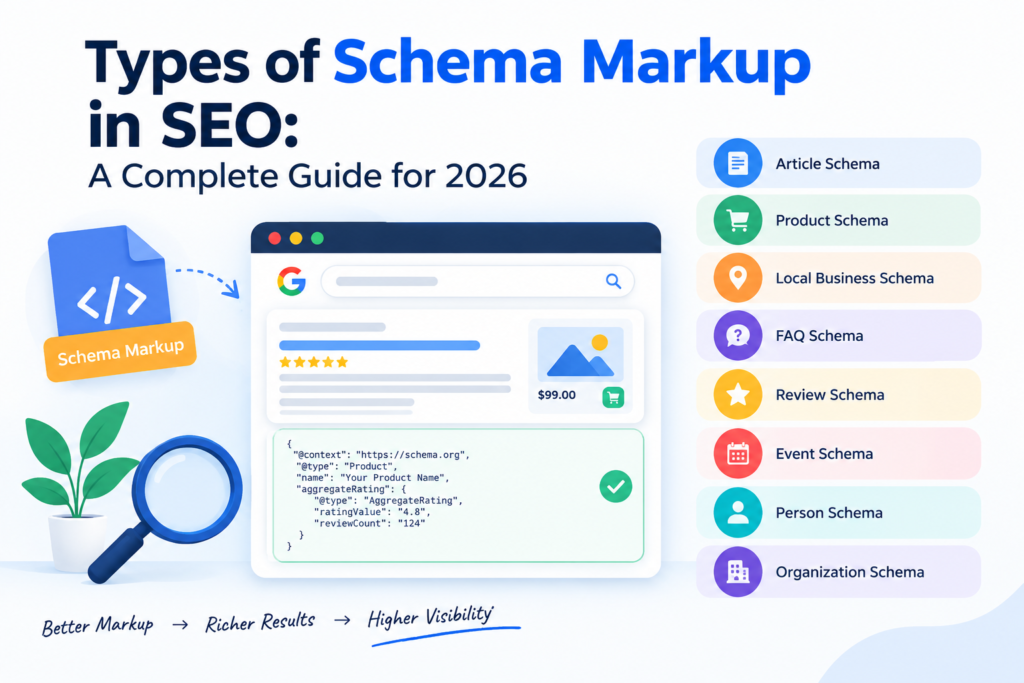
Search engines have become much smarter than before. Google can understand a website and its content without any extra help in many cases. But websites can still provide additional information to search engines through structured data.
One of the most common forms of structured data is Schema Markup.
Schema Markup helps search engines understand what a webpage is about and what type of information it contains. It can be used for articles, products, businesses, events, organisations, reviews and many other types of content.
For businesses working on SEO in Canada, understanding Schema Markup can be useful. A good SEO strategy is not only about keywords and backlinks. Technical SEO also plays an important role in helping search engines understand a website.
This guide explains the main types of Schema Markup in SEO, how they work, where they should be used and what businesses should know before adding them to their websites.
What Is Schema Markup in SEO?
Schema Markup is a form of structured data added to a webpage. It gives search engines more information about the content on that page.
For example, imagine a website has a page about a digital marketing service.
A search engine can read the page and understand that it contains information about digital marketing. Schema can provide additional structured information that identifies the page as a service and describes the organisation offering that service.
Schema Markup is generally implemented using Schema.org vocabulary. Google supports structured data in several formats and recommends JSON-LD for most structured-data implementations.
In simple words:
Schema Markup helps search engines understand the meaning and type of your content.
It is mainly a technical SEO activity. It should support useful and accurate content rather than being used only to try to manipulate search results.
Why Is Schema Markup Important for SEO?
Search engines need to understand the information available on websites.
Consider a page containing:
“ROIExpert”
“Digital Marketing Services”
“SEO Services”
“Canada”
“Blog”
“Contact”
A search engine can read these words. But structured data can provide additional context about what certain information represents.
For example:
- This is an organisation
- This is an article
- This is a service
- This is a product
- This is an event
- This is a breadcrumb
- This is a person profile
This additional context can help search engines process the information on a webpage.
Google also uses structured data to understand page content and determine eligibility for certain search features. However, adding Schema does not guarantee that a rich result will appear.
Schema Markup vs Structured Data
These terms are often used together but they are not exactly the same.
Structured data is the general concept of providing information in a structured format so machines can understand it.
Schema.org provides a vocabulary for describing different types of information.
Schema Markup usually refers to implementing this vocabulary on a website.
So when SEO professionals talk about Schema Markup, they are usually talking about adding structured information using Schema.org.
How Does Schema Markup Work?
Schema Markup uses specific properties to describe information.
For example, an organisation schema can include information such as:
- Organisation name
- Website
- Logo
- Contact information
- Social profiles
- Other relevant properties
An Article schema can include:
- Article title
- Author
- Publication date
- Image
- Publisher
- Article description
The information is added to the webpage in a structured format.
Google can then process this information along with the visible content on the page.
The most common implementation method recommended by Google is JSON-LD.
Main Types of Schema Markup in SEO
There are many Schema.org types available. You should not use every type on every website.
The right Schema depends on the actual content and purpose of the webpage.
Here are some of the most useful types.
- Organization Schema
Organization Schema is used to provide information about an organisation.
It can be useful for companies, agencies, businesses and other organisations.
For example, a digital marketing company can use Organization Schema to provide relevant business information.
Common properties can include:
- Name
- URL
- Logo
- Contact information
- SameAs profiles
- Description
For a company such as ROIExpert, Organization Schema can help describe the business entity behind the website.
However, the information in the markup should match the information that is actually available on the website.
When Should You Use Organization Schema?
Use it when your website represents a company or organisation.
It is especially useful on the main organisation or business pages.
Do not add fake information just to increase the amount of structured data.
- LocalBusiness Schema
LocalBusiness Schema is designed for businesses that operate at a physical location or have a local service presence.
It can include information such as:
- Business name
- Address
- Phone number
- Opening hours
- URL
- Location
- Business type
This type of Schema can be useful for businesses targeting local customers.
For example, a Canadian business serving customers in a specific service area may benefit from relevant local business structured data if it meets Google’s requirements.
But a company should not add LocalBusiness Schema simply because it wants to rank locally.
The business must actually qualify for the type being used.
For ROIExpert content targeting Canada as a country, there is no need to force a Canadian city into every page. LocalBusiness Schema should only be used when the business and page genuinely support local business information.
- Article Schema
Article Schema is designed for news articles, blog posts and other article content.
This can be useful for websites that publish regular SEO and digital marketing content.
Important properties may include:
- Headline
- Image
- Author
- Date published
- Date modified
- Publisher
- Main entity
For a blog about digital marketing, SEO or online advertising, Article Schema can help describe the page as an article.
Article Schema and SEO Blogs
If ROIExpert publishes a blog such as:
“What Is Zero-Click Search?”
the page can use appropriate Article structured data.
The markup should describe the actual article.
It should not contain information that is different from what users see on the page.
- BlogPosting Schema
BlogPosting is a more specific type related to Article.
It can be used for blog content.
For example, a digital marketing blog discussing SEO trends in Canada can use relevant BlogPosting structured data when appropriate.
Common information includes:
- Headline
- Author
- Publisher
- Date published
- Date modified
- Main image
The important thing is not simply choosing BlogPosting instead of Article.
The important thing is using accurate structured data that matches the page.
- Product Schema
Product Schema is mainly used on product pages.
For example, an e-commerce website selling clothing can use Product structured data.
It can describe:
- Product name
- Image
- Description
- Brand
- SKU
- Price
- Availability
- Offers
- Reviews where eligible
Product structured data can be especially useful for e-commerce businesses.
For example, if a Canadian online store sells sportswear, Product Schema can help search engines understand that a particular page represents a product.
Product Schema and E-Commerce SEO
Product pages should contain complete and accurate product information.
Schema should not be used to show information that users cannot find on the page.
For example, if the page does not actually offer a product for $50, the structured data should not say that the price is $50.
Accuracy is important.
- Review Schema
Review Schema is used for review-related information.
A review may be about:
- A product
- A service
- A business
- Another eligible subject
However, businesses should be careful with review structured data.
You should not create fake reviews or add reviews simply to get stars in Google.
Google has specific guidelines for review snippets and structured data.
If your website displays genuine reviews, make sure the markup accurately represents the visible content.
- AggregateRating Schema
AggregateRating describes an overall rating based on multiple ratings.
For example:
Rating: 4.8
Review count: 125
This information can be useful where it is genuinely available and eligible.
But businesses should never create ratings just to make search results look better.
If your website says that customers have given a 4.9 rating, the rating should be genuine and supported by visible information and a valid source.
Review and Rating Schema Are Not the Same
A Review represents an individual review.
AggregateRating represents a combined rating from multiple ratings.
Using the wrong type can create inaccurate structured data.
- BreadcrumbList Schema
Breadcrumb Schema helps search engines understand the structure of a website.
For example:
Home > Digital Marketing > SEO > SEO Services
This tells search engines how the page fits into the website structure.
Breadcrumbs can also make search results easier for users to understand.
BreadcrumbList is useful for websites with multiple categories and pages.
For larger websites, proper breadcrumb structure can make navigation easier for both users and search engines.
- WebSite Schema
WebSite Schema describes information about a website.
It can help search engines understand the overall website entity.
This is different from WebPage Schema.
WebSite refers to the website as a whole.
WebPage refers to an individual webpage.
For example:
Website: ROIExpert
Webpage: SEO Services in Canada
These are different entities even though they belong to the same website.
- WebPage Schema
WebPage Schema describes an individual webpage.
Different types of webpages can have different purposes.
For example:
- Homepage
- About page
- Service page
- Contact page
- Blog page
More specific WebPage subtypes can be used when appropriate.
The goal should be to describe the actual page rather than adding unnecessary Schema.
- Service Schema
Service structured data can describe a service offered by a business.
This can be useful for service-based businesses.
For example:
- SEO services
- PPC services
- Social media marketing
- Content marketing
- Web development
- Digital marketing services
For a website targeting Canadian customers, a service page could describe a specific service offered by the business.
A page about digital marketing services in Canada should clearly explain the service, target audience, benefits, process and other relevant information.
The Schema should support this information.
- Event Schema
Event Schema is designed for events.
Examples include:
- Conferences
- Workshops
- Webinars
- Training events
- Concerts
- Business events
Important information can include:
- Event name
- Date
- Time
- Location
- Event status
- Ticket information
Event structured data should only be used when the page actually represents an event.
- JobPosting Schema
JobPosting Schema is used for job vacancy pages.
A company advertising a genuine job position can provide relevant structured information.
For example:
- Job title
- Employer
- Job location
- Salary information where available
- Employment type
- Job description
- Application information
The job information should be accurate and up to date.
If a job is no longer available, the structured data and page should be updated accordingly.
- Course Schema
Course Schema can be useful for educational course pages where applicable.
For example:
- Digital marketing course
- SEO course
- Web development course
- Business course
The page should contain real course information.
A website should not use Course Schema simply because a blog discusses education.
The page needs to actually represent the relevant course information.
- Recipe Schema
Recipe Schema is designed for recipe content.
It can describe information such as:
- Recipe name
- Ingredients
- Cooking time
- Preparation time
- Image
- Nutrition information
- Rating
This is mainly useful for food websites and recipe blogs.
It is not relevant to most digital marketing websites.
- VideoObject Schema
VideoObject Schema describes video content.
If a webpage contains a useful video, structured data can provide information about that video.
Common properties include:
- Video name
- Description
- Thumbnail
- Upload date
- Duration
- Content URL where applicable
Video content can be part of modern content marketing strategies.
A company publishing educational videos about SEO or digital marketing can consider relevant VideoObject structured data.
- FAQPage Schema
FAQPage Schema is designed for pages containing frequently asked questions.
However, there is an important difference between using structured data and expecting a Google rich result.
Google has significantly limited FAQ rich results. According to Google’s documentation, FAQ rich results are generally shown for well-known authoritative government and health websites.
This means businesses should not add FAQ Schema simply because they expect FAQ rich results.
FAQs can still be useful for users.
You can create useful FAQ sections to answer real customer questions. Just do not treat FAQ Schema as a guaranteed ranking or rich-result technique.
- QAPage Schema
QAPage Schema is designed for pages where the main purpose is a question and answers provided by users.
It is different from a normal FAQ page.
For example, a community website where users ask questions and other users provide answers may be suitable for QAPage structured data.
A normal company FAQ page should not automatically use QAPage Schema.
- ProfilePage Schema
ProfilePage Schema can be used for pages representing an individual or organisation profile.
Examples can include:
- Author profile
- User profile
- Team member profile
For content websites, clear author information can also help users understand who created the content.
- DiscussionForumPosting Schema
DiscussionForumPosting is designed for forum or discussion content.
It can be relevant to websites where users create discussion posts.
This is different from a standard blog.
A company publishing normal articles should not use DiscussionForumPosting Schema simply because an article contains comments.
Schema Markup for an SEO and Digital Marketing Website
A digital marketing website usually does not need every Schema type.
A practical setup may include:
Organization
For the company or organisation.
WebSite
For the website.
WebPage
For individual pages.
Article or BlogPosting
For blog articles.
BreadcrumbList
For website navigation.
Service
For genuine service pages where applicable.
Person or ProfilePage
For genuine author or team profiles where appropriate.
Other Schema types should be added only when they match the actual content.
Which Schema Markup Is Best for ROIExpert?
For ROIExpert, the Schema strategy should depend on the type of page.
Homepage
Possible structured data can include:
- Organization
- WebSite
- WebPage
Service Page
Possible structured data can include:
- Organization
- WebPage
- Service
- BreadcrumbList
Blog Article
Possible structured data can include:
- Article
- BlogPosting
- Person or Organization for the author
- BreadcrumbList
- WebPage
About Page
Possible structured data can include:
- Organization
- WebPage
- BreadcrumbList
Contact Page
Possible structured data can include:
- Organization
- WebPage
- ContactPoint where appropriate
- BreadcrumbList
This approach is better than adding the same large Schema code to every page.
Schema Markup for Canadian SEO
Businesses targeting customers across Canada should focus on relevance rather than simply adding the word Canada to structured data.
For example, if a service page genuinely targets Canadian customers, the visible content should clearly explain that.
The page might discuss:
- Canadian businesses
- Canadian customers
- Search behaviour in Canada
- Digital marketing requirements
- SEO strategies
- Online competition
- Industry-specific needs
Keywords such as digital marketing agency in Canada, digital marketing services in Canada, digital marketing company in Canada and SEO agency in Canada can be used naturally where they match the search intent.
However, these keywords should not be placed inside Schema just for SEO.
Structured data should describe the actual page and business.
Does Schema Markup Improve Google Rankings?
This is one of the most common questions.
Schema Markup is not a direct ranking guarantee.
Adding Schema does not mean that a page will automatically move from position 10 to position 1.
Google uses many signals to understand and rank pages.
Structured data can help Google understand page content and can make pages eligible for certain search features when the requirements are met.
So Schema should be considered part of technical SEO rather than a shortcut to higher rankings.
Can Schema Increase Click Through Rate?
It can help in some situations when eligible structured data results in a richer search appearance.
For example, eligible product results can show useful product information.
Other structured-data features may provide additional information in search results.
But there is no guarantee that Google will display every piece of structured data.
This is why you should not measure Schema success only by whether a rich result appears.
The larger goal is to make your website easier for search engines to understand.
Common Schema Markup Mistakes
Schema can be useful but incorrect implementation can create problems.
Here are some common mistakes.
- Adding Schema That Does Not Match the Page
Do not mark a normal blog article as a product.
The structured data should describe the actual content.
- Adding Fake Reviews
Fake ratings and reviews should never be used.
They can damage trust and may violate search engine guidelines.
- Using Old Schema Recommendations
SEO changes regularly.
Some structured-data features that were useful several years ago may no longer generate the same Google search appearance.
Always check current Google documentation before implementing a new Schema type.
- Adding Too Much Schema
More Schema does not automatically mean better SEO.
Use relevant Schema.
Do not add every possible type to a webpage.
- Adding Information That Users Cannot See
Structured data should generally represent information that is available on the page and follows Google’s guidelines.
Do not use Schema to hide promotional claims or information that is not actually supported by the webpage.
- Not Updating Old Information
Suppose your business changes its:
- Name
- Website
- Address
- Service
- Price
- Event date
Your structured data should be reviewed and updated where necessary.
- Keyword Stuffing
Do not fill Schema properties with keywords.
For example, using:
“Best Cheap Professional Top Digital Marketing Agency SEO Company Canada”
as a company name would be incorrect.
Use the actual business name.
How to Add Schema Markup to a Website
There are different ways to implement structured data.
Method 1: JSON-LD
JSON-LD is the format Google recommends for structured data in most cases.
It is placed in the HTML of the webpage.
It can be easier to manage because the structured information is separated from the visible page content.
Method 2: Microdata
Microdata adds structured data directly around HTML elements.
It can work but may be more difficult to maintain on some websites.
Method 3: RDFa
RDFa is another method for adding structured information to HTML.
It is supported as a structured-data format but is less commonly used by many SEO teams compared with JSON-LD.
For most modern SEO implementations, JSON-LD is usually the practical choice.
How to Check Schema Markup
After adding Schema, do not assume that everything is correct.
Test it.
Google provides the Rich Results Test for checking whether a page may be eligible for supported rich results.
You should also monitor Search Console and review structured-data issues where applicable.
A good technical SEO process should include:
- Add relevant Schema
- Test the markup
- Fix errors
- Check warnings
- Validate the visible content
- Monitor Search Console
- Update when the page changes
Schema Errors vs Warnings
Not every warning means the page is broken.
An error may prevent a structured-data feature from being eligible.
A warning may indicate that additional information could improve the markup.
The exact impact depends on the Schema type and Google’s current requirements.
This is why SEO professionals should understand what each property means rather than simply trying to remove every warning.
Schema Markup and AI Search
Search is changing because of AI.
Google and other search platforms are increasingly providing direct answers and summaries.
This makes clear and well-structured website information more important.
Schema is not a special trick that guarantees visibility inside AI search.
However, accurate structured data can provide useful machine-readable information about a business, product, article or other entity.
A modern SEO strategy should therefore combine structured data with:
- Helpful content
- Strong website structure
- Clear entity information
- Good internal linking
- Technical SEO
- Quality backlinks
- Relevant keywords
- Strong user experience
Schema is one part of the overall system.
Schema Markup and Digital Marketing
Schema should not be treated as a separate activity that has nothing to do with marketing.
It supports the technical side of a wider digital marketing strategy.
For example, a digital marketing agency in Canada may use Schema as part of a client’s technical SEO work.
The complete strategy may also include:
- Keyword research
- SEO content
- Technical SEO
- Link building
- Local SEO
- Google Business Profile optimisation
- PPC
- Social media
- Conversion optimisation
- Analytics
- SEO reporting
This is why businesses should look at Schema as one part of a larger marketing plan.
Is Schema Markup Necessary for Every Website?
No.
Schema can be useful but not every website needs every type.
A small website with five pages may only need a few relevant types.
A large e-commerce website may need product-related structured data across thousands of pages.
A news website may use Article structured data.
A job website may use JobPosting.
A course website may use Course.
The right implementation depends on the website.
Schema Markup Checklist for SEO
Before publishing Schema, check the following:
- Does the Schema match the page?
- Is the information accurate?
- Is the information visible to users where required?
- Are the properties used correctly?
- Is the JSON-LD valid?
- Has the markup been tested?
- Are there any major errors?
- Does the Schema follow Google’s guidelines?
- Is the information still current?
- Does the page actually need this Schema?
If the answer is yes, the implementation is more likely to be useful.
Final Thoughts
Schema Markup is an important part of modern technical SEO.
It helps search engines understand different types of website content such as organisations, articles, products, services, events and other information.
But Schema is not a shortcut for ranking.
A website still needs useful content, good technical performance, relevant keywords, strong internal linking and a good overall SEO strategy.
For Canadian businesses, Schema can be included as part of a wider digital marketing strategy designed around search visibility and business goals.
If you are investing in SEO services in Canada, make sure your strategy includes technical SEO along with content, keyword research, website optimisation and performance tracking.
The best approach is simple:
Use Schema when it accurately describes the page.
Keep the information genuine and up to date.
Follow current search engine guidelines.
Do not use Schema only to manipulate search results.
For businesses looking for professional digital marketing services in Canada, technical SEO elements such as Schema Markup should be considered alongside the wider strategy.
ROIExpert focuses on connecting SEO work with real business outcomes. The aim should not only be better search visibility but also relevant traffic, qualified leads, conversions and measurable ROI.
Semrush vs Ahrefs vs Moz in 2026: Which SEO Tool Gives Better ROI?
Semrush vs Ahrefs vs Moz in 2026: Which SEO Tool Gives Better ROI?
SEO in 2026 is much more than ranking a website on the first page of Google.
Search results are changing. Users are seeing AI answers, featured snippets, local results, videos, shopping results and other search features before they even click on a website.
For businesses in Canada, this means SEO needs better planning and better data.
You need to know which keywords your customers are searching for. You need to understand what your competitors are doing. You need to find technical issues on your website. You also need to know which pages are bringing traffic and whether that traffic is turning into leads or sales.
This is where SEO tools can help.
Three of the most popular names in the SEO industry are Semrush, Ahrefs and Moz.
All three platforms offer tools for keyword research, competitor analysis, backlink research, rank tracking and website audits. However, they are not exactly the same.
Some features are stronger on Semrush. Some areas are better suited to Ahrefs. Moz can be a good choice for people who want a simpler SEO platform.
So which one is better in 2026?
The answer depends on what you need.
If you are a Canadian business owner, SEO professional, freelancer, marketing team or agency, the best tool is not necessarily the one with the highest number of features.
The better tool is the one that helps you make better SEO decisions and gives enough value for the money you spend.
In this guide, we compare Semrush vs Ahrefs vs Moz based on keyword research, backlinks, technical SEO, rank tracking, content research, competitor analysis, AI search visibility, ease of use, pricing and overall SEO ROI.
Semrush vs Ahrefs vs Moz at a Glance
| SEO Area | Best Choice | Why |
|---|---|---|
| Keyword Research | Semrush | Strong research and competitor data |
| Backlink Analysis | Ahrefs | Strong link research and discovery |
| Technical SEO | Semrush | Detailed site audit features |
| Competitor Research | Semrush | Wide range of competitive data |
| Link Building | Ahrefs | Strong backlink and link gap research |
| Content Research | Semrush | Wide content and keyword workflow |
| Ease of Use | Moz | Simple and beginner friendly |
| Local SEO | Moz | Useful local SEO features |
| Rank Tracking | Semrush / Ahrefs | Strong tracking and SERP data |
| AI Search Tracking | Semrush / Ahrefs | Strong focus on AI search visibility |
| Agency SEO | Semrush | Wide set of tools and reporting |
| Beginner SEO | Moz | Easier learning curve |
| Overall SEO Platform | Semrush | Broad SEO and marketing features |
There is no single winner for every type of business.
Your choice should depend on your website, SEO goals, team size and budget.
Why SEO Tools Matter for Canadian Businesses
A business can spend many hours doing SEO manually.
You can search for keywords manually. You can check competitor websites. You can review backlinks. You can check technical errors and monitor rankings.
But doing all of this manually takes a lot of time.
SEO tools bring much of this information into one place.
They can help you find:
- Relevant keywords
- Long tail keyword ideas
- Competitor keywords
- Keyword gaps
- Backlink opportunities
- Technical SEO problems
- Ranking changes
- Content opportunities
- Search trends
- SERP information
- Organic traffic opportunities
For a business, this information can help reduce guesswork.
For example, instead of creating a blog post because you think people may search for a topic, you can first research the keyword and understand the competition.
You can also study competitor pages and identify areas where your website can provide better information.
This does not guarantee rankings.
However, it gives the SEO team better information before making decisions.
What Does SEO ROI Mean?
SEO ROI means understanding how much business value you receive from your SEO investment.
Many businesses make the mistake of looking only at rankings.
A keyword moving from position 20 to position 5 looks good.
But the more important question is whether that ranking brings relevant visitors and business results.
For example, an SEO campaign may generate:
- More organic traffic
- More enquiries
- More phone calls
- More quote requests
- More bookings
- More product sales
- More revenue
These are stronger business signals.
SEO costs can include:
- SEO software
- SEO agency fees
- SEO staff
- Content writing
- Website development
- Technical SEO work
- Link building
- Design
- Conversion optimisation
So when comparing Semrush vs Ahrefs vs Moz, do not ask only:
“Which tool has more features?”
Ask:
“Which tool can help my team find better opportunities and save enough time or generate enough value to justify its cost?”
Semrush vs Ahrefs vs Moz for Keyword Research
Keyword research is still one of the most important parts of SEO.
Before creating a page, you need to understand what your target audience is searching for.
You also need to understand the competition.
Semrush Keyword Research
Semrush has a wide set of keyword research and competitive research features.
It can help you find:
- Keyword ideas
- Search volume
- Keyword difficulty
- Related keywords
- Long tail keywords
- Search intent
- Competitor keywords
- Keyword gaps
- SERP information
- Question based searches
One major advantage of Semrush is that keyword research can be connected with competitor research.
You can study a competitor and identify keywords where the competitor has visibility but your website does not.
This can help create a keyword gap strategy.
Semrush is especially useful when you need to build a large keyword list for a website with many products, services or content topics.
Ahrefs Keyword Research
Ahrefs is also a strong option for keyword research.
It provides keyword information along with organic traffic and competitor data.
One useful part of keyword research is understanding that search volume is not the same as traffic.
A keyword can have high search volume but still generate fewer clicks because the search results may contain ads, featured snippets, AI answers or other search features.
Ahrefs uses its own click based data to help users understand the traffic potential behind search terms.
This can make it useful for SEO professionals who want to look beyond search volume.
Moz Keyword Research
Moz takes a simpler approach.
Its Keyword Explorer can help users understand:
- Keyword volume
- Difficulty
- Organic click potential
- Keyword suggestions
- SERP information
Moz can be easier for beginners because it presents keyword information in a relatively simple way.
For a small business that wants to understand the basics of keyword research, this can be useful.
Keyword Research Winner
Semrush is a strong choice for detailed keyword and competitor research.
Ahrefs is a strong option for users who want keyword data along with organic traffic and backlink research.
Moz is suitable for beginners who want a simpler keyword research experience.
Backlink Analysis: Ahrefs vs Semrush vs Moz
Backlinks remain an important part of SEO.
However, more backlinks do not automatically mean better SEO.
A relevant link from a useful website can be more valuable than many low quality links.
This is why backlink analysis is important.
Ahrefs for Backlinks
Ahrefs has built a strong reputation around backlink research.
You can use it to study:
- Referring domains
- Backlinks
- New backlinks
- Lost backlinks
- Anchor text
- Linking pages
- Competitor backlinks
- Broken link opportunities
- Link gaps
One useful method is competitor backlink analysis.
You can check which websites are linking to competitors and identify websites that may also be relevant to your business.
This can help with outreach and link building.
Ahrefs is particularly useful for SEO professionals where backlinks are a major part of the campaign.
Semrush Backlink Analysis
Semrush also provides backlink research and link building tools.
You can study competitor backlinks and identify potential link opportunities.
The main advantage is that backlink research sits inside a wider SEO platform.
You can move from keyword research to competitor research to backlink research and site auditing without changing platforms.
This can be useful for agencies and marketing teams.
Moz Backlink Analysis
Moz also provides backlink analysis.
Its Domain Authority metric is well known in the SEO industry.
Moz can be useful for users who want to understand website authority and basic backlink information without dealing with an overly complex system.
Backlink Winner
If backlinks and link building are your main priority, Ahrefs is a strong choice.
If backlink research needs to be part of a wider SEO workflow, Semrush may be more useful.
If you need basic backlink information and a simpler platform, Moz can be suitable.
Technical SEO and Site Audits
Technical SEO can affect how search engines crawl, understand and index a website.
Common technical problems include:
- Broken links
- Redirect issues
- Duplicate content
- Missing meta information
- Indexing problems
- Crawl issues
- HTTPS problems
- Poor internal linking
- Image issues
- Structured data problems
- Page experience issues
Regular website audits can help identify these problems.
Semrush Site Audit
Semrush has a detailed Site Audit system that checks many technical areas.
The reports can help identify problems and organise them based on priority.
This can be useful for agencies that need to monitor several websites.
The platform can also connect technical findings with wider SEO work.
Ahrefs Site Audit
Ahrefs also provides a strong Site Audit tool.
One of its useful points is the clear way in which technical issues are presented.
This can make it easier for SEO professionals to identify affected pages and understand what needs attention.
Moz Site Crawl
Moz also offers website crawling and technical SEO features.
Its simpler approach can be helpful for users who are still learning technical SEO.
However, advanced SEO teams may need more detailed data and wider technical checks.
Technical SEO Winner
For detailed technical SEO and site audits, Semrush is a strong choice.
Ahrefs is also a good option, especially for teams that already use Ahrefs for organic search and backlink research.
Moz is suitable for smaller websites and users who want a simpler technical SEO workflow.
Rank Tracking in 2026
Rank tracking has changed.
In the past, SEO teams often focused on one question:
“What position is my keyword ranking at?”
In 2026, this is not enough.
Search results can include:
- AI generated answers
- Featured snippets
- People Also Ask
- Videos
- Images
- Shopping results
- Local results
- Knowledge panels
- Other SERP features
This means a traditional position number does not always tell the full story.
A business should also understand its overall search visibility.
Semrush Rank Tracking
Semrush provides rank tracking across keywords, locations and devices.
This is useful for businesses that need to monitor search performance across different markets.
You can track competitors and identify keywords where rankings are changing.
Semrush also focuses heavily on visibility beyond traditional rankings, including AI search and other search features.
Ahrefs Rank Tracker
Ahrefs also provides rank tracking and competitor monitoring.
Its tools can help users understand ranking changes and search result features.
Ahrefs has also expanded its focus towards AI search and visibility.
Moz Rank Tracking
Moz provides a simpler rank tracking experience.
It can be useful for businesses that only need to monitor their main keywords.
If you have a small website with a focused SEO campaign, you may not need a very large tracking system.
Rank Tracking Winner
For advanced SEO campaigns, Semrush and Ahrefs are both strong choices.
For basic keyword monitoring, Moz can be a practical option.
Semrush vs Ahrefs vs Moz for Competitor Research
Competitor research can help you understand where other websites are getting organic visibility.
You can study:
- Competitor keywords
- Top pages
- Backlinks
- Content
- Organic visibility
- Keyword gaps
- Link gaps
- Search performance
Semrush for Competitor Research
Semrush has a broad range of competitive research features.
It can help businesses understand organic search performance and other areas of digital marketing.
This makes it useful for companies that want more than traditional SEO data.
For agencies, competitor research can also be useful when preparing strategy reports for clients.
Ahrefs for Competitor Research
Ahrefs is also strong for competitor research.
Its organic search and backlink data can help you understand:
- Which pages get traffic
- Which keywords competitors rank for
- Which pages attract links
- Where competitor backlinks come from
This can help identify gaps in your own SEO strategy.
Moz for Competitor Research
Moz provides competitor research features but is more suited to simpler SEO requirements.
If your main goal is to understand basic keyword and ranking differences, Moz can be enough.
Competitor Research Winner
Semrush has an advantage when you want wider competitive research.
Ahrefs is excellent for organic search and backlink focused competitor research.
Moz works well for simpler competitor analysis.
Content Research and SEO
SEO content should not be created only for search engines.
It should answer real questions and help the reader.
SEO tools can help identify topics and keywords that may be worth targeting.
Semrush for Content
Semrush offers several tools for content research and optimisation.
You can research:
- Keyword opportunities
- Competitor content
- Content gaps
- Search intent
- Related keywords
- Content performance
This can help content teams build a more organised content plan.
Instead of creating random blog posts, you can identify topics connected to actual search demand and business goals.
Ahrefs for Content
Ahrefs is also useful for content research.
You can find pages that receive organic traffic and backlinks.
This can help you understand which topics are already performing well in your industry.
If you are planning linkable content, backlink data can be especially useful.
Moz for Content
Moz can support keyword research and basic content planning.
It is suitable for smaller teams that want a simple SEO content workflow.
Content Winner
For wider content planning and SEO workflows, Semrush is a strong choice.
For competitor content and backlink based content research, Ahrefs is very useful.
For simple content planning, Moz can be enough.
AI Search and SEO in 2026
AI search is one of the biggest changes SEO professionals need to consider in 2026.
Search behaviour is moving beyond traditional blue links.
People may now get information through AI generated answers and other search experiences.
This means businesses need to think about visibility in both traditional search and AI based search.
Semrush now positions its platform around visibility across search and AI search. Its current plans include features for tracking AI visibility and AI brand performance.
Ahrefs has also expanded into AI search visibility. Its platform now includes tools for tracking brand mentions, citations and sentiment across AI chatbots.
For businesses, this means SEO measurement is becoming broader.
Instead of asking only:
“Where does my website rank?”
Businesses should also ask:
“Is my brand being found when people search or ask questions related to my products and services?”
This is an important part of SEO planning in 2026.
Semrush vs Ahrefs vs Moz Pricing
Pricing is one of the biggest factors when choosing an SEO platform.
But the monthly price is not the complete picture.
You should also check:
- Number of projects
- Keyword tracking limits
- User seats
- Data limits
- Reports
- Credits
- Historical data
- Site audit limits
- API access
- Additional features
Current pricing can change, so Canadian businesses should check the official pricing page before purchasing.
For example, Semrush currently lists its SEO and AI search plans with different limits and features depending on the plan.
Ahrefs also has different plans and a credit based system for certain actions. Its official pricing page currently shows different access levels based on the subscription.
The important point is that the cheapest plan is not always the best value.
What Should Canadian Businesses Look at Before Buying?
If you are buying an SEO tool for a business in Canada, look at the complete cost.
For example, a tool may cost $100 per month but become more expensive when you need:
- More tracked keywords
- More projects
- More users
- More reports
- More data
- More historical information
This is why businesses should compare the actual plan they need instead of comparing only the starting price.
Also remember that software prices may be displayed in USD and the final cost for a Canadian customer can vary depending on billing and taxes.
Which SEO Tool Gives Better Value?
There is no fixed answer.
It depends on how you use the platform.
A freelancer who mainly needs backlink research may get more value from Ahrefs.
A marketing agency that needs keyword research, technical SEO, competitor analysis, content research and reporting may get more value from Semrush.
A small business owner who is new to SEO may prefer Moz because of its simpler approach.
The best SEO tool is the one that solves your actual problems.
SEO ROI: What Should You Actually Measure?
Buying Semrush, Ahrefs or Moz does not automatically improve SEO ROI.
The tool only provides data.
Your team needs to use that data correctly.
Here are some important SEO ROI metrics.
- Organic Traffic
Track organic traffic over time.
But do not look only at the total number.
Check whether the traffic is relevant to your business.
- Organic Leads
If your business generates leads, track how many come from organic search.
For example:
- Contact forms
- Quote requests
- Consultation requests
- Calls
- Bookings
These numbers are more useful than traffic alone.
- Organic Revenue
For e-commerce businesses, track revenue from organic search.
This helps you understand whether SEO is contributing to actual sales.
- Conversion Rate
A website should not only bring visitors.
It should also convert those visitors.
A conversion can be:
- Buying a product
- Filling a form
- Calling the business
- Requesting a quote
- Booking a service
- Cost Per Lead
Compare your SEO investment with the number of qualified leads generated.
This can help you understand whether your SEO campaign is becoming more efficient.
- Relevant Keyword Growth
Track whether the website is gaining rankings for keywords that matter to the business.
Do not focus only on the total number of ranking keywords.
Quality matters more than quantity.
Example of SEO ROI for a Canadian Business
Suppose a business spends $2,000 per month on SEO.
The total SEO investment includes content, technical work, link building and SEO software.
After several months, the website starts generating more relevant organic leads.
Suppose SEO brings 40 additional qualified leads in a month.
If the business converts some of those leads into customers, the value created by SEO can be compared with the total investment.
This is a better way to look at SEO ROI than saying:
“We are ranking for 500 keywords.”
The number of ranking keywords matters.
But business results matter more.
Which SEO Tool Is Best for Small Businesses?
Small businesses usually have limited budgets.
They also may not have a full time SEO team.
Because of this, they may not need every feature offered by a large SEO platform.
Choose Moz If
You want:
- Simple SEO tools
- Easy keyword research
- Basic rank tracking
- Local SEO features
- Beginner friendly reports
Choose Ahrefs If
You want:
- Strong backlink research
- Competitor analysis
- Content research
- Organic search data
- Link building opportunities
Choose Semrush If
You want:
- Keyword research
- Competitor research
- Technical SEO
- Content tools
- Rank tracking
- Backlink research
- Wider marketing tools
The right choice depends on what your business will actually use.
Which SEO Tool Is Best for Agencies?
SEO agencies normally need more features than individual website owners.
An agency may manage several clients at the same time.
Common requirements include:
- Multiple projects
- Keyword research
- Competitor research
- Site audits
- Rank tracking
- Backlink analysis
- Content research
- Reports
- Client updates
- SEO monitoring
For this type of work, Semrush is a strong all in one option.
Ahrefs is also a strong choice for agencies where backlink research and organic search are major parts of the service.
Some agencies may use both platforms.
But buying two tools only makes sense when the additional data provides enough value.
Which SEO Tool Is Best for Link Building?
If link building is your main focus, Ahrefs is a strong choice.
It can help you find:
- Competitor backlinks
- Referring domains
- Lost backlinks
- Broken link opportunities
- Link gaps
- Potential outreach targets
This can make competitor backlink research easier.
However, businesses should avoid focusing only on backlink numbers.
The quality and relevance of the link are important.
A natural link from a relevant website can be more useful than many unrelated links.
Which SEO Tool Is Best for Local SEO?
Local businesses need a different type of SEO strategy.
They may need to focus on:
- Local keywords
- Business listings
- Reviews
- Google Business Profile
- Location based pages
- Local backlinks
- Local search visibility
Moz has useful local SEO features and can be a good choice for businesses that mainly need local SEO.
Semrush can also support local SEO along with keyword research, competitor research and rank tracking.
Ahrefs can help with keyword and backlink research but may not be the first choice for businesses that mainly want dedicated local SEO management.
Semrush vs Ahrefs vs Moz for Beginners
If you are new to SEO, do not try to use every feature from day one.
Start with the basics.
First learn:
- Keyword research
- Competitor research
- Website audit
- On page SEO
- Rank tracking
- Backlink research
- SEO reporting
Moz can be a good starting point for beginners because of its simpler interface.
Ahrefs can also be a good choice if you want to learn deeper SEO and backlink research.
Semrush has a much wider feature set, so it may take more time to understand.
The important thing is not to become dependent on the tool.
Learn SEO first.
Then use the tool to make your work faster and better.
Can You Use Semrush and Ahrefs Together?
Yes.
Using both can make sense for some SEO professionals.
For example, you can use Semrush for:
- Keyword research
- Competitor research
- Technical SEO
- Content research
- Rank tracking
- Wider marketing research
And Ahrefs for:
- Backlink research
- Competitor backlinks
- Link building
- Organic search research
- Content research
But this does not mean every business needs both.
If you have a small website, paying for two expensive platforms may not provide enough extra value.
Start with one.
Learn how to use it properly.
Add another tool only when you have a clear reason.
Semrush vs Ahrefs vs Moz: Pros and Cons
Semrush
Pros
- Wide range of SEO tools
- Strong keyword research
- Strong competitor research
- Technical SEO features
- Content tools
- Rank tracking
- Backlink research
- Reporting options
- AI search visibility features
- Good for agencies
Cons
- Can feel complicated for beginners
- Higher plans can become expensive
- Some features may not be needed by small businesses
- Teams may need time to learn the platform
Best For
SEO agencies, marketing teams, growing businesses and companies that need many SEO features in one platform.
Ahrefs
Pros
- Strong backlink research
- Good competitor analysis
- Strong organic search data
- Useful content research
- Clean interface
- Good for link building
- AI search features
- Useful for SEO professionals
Cons
- Can become expensive for larger requirements
- Credit based limits need to be understood
- Some businesses may need additional marketing tools
Best For
Link builders, SEO professionals, content marketers and businesses that focus strongly on organic search.
Moz
Pros
- Easy to use
- Beginner friendly
- Useful keyword research
- Local SEO features
- Good educational resources
- Suitable for smaller businesses
- Simple SEO workflow
Cons
- Fewer advanced features than larger platforms
- May not be enough for complex agency requirements
- Advanced SEO teams may need additional tools
Best For
Small businesses, beginners, freelancers and local SEO users.
Common Mistakes When Choosing an SEO Tool
Buying the Most Expensive Tool
A more expensive platform does not automatically produce better results.
Choose according to your requirements.
Looking Only at Search Volume
Search volume is only one part of keyword research.
A keyword with lower search volume can sometimes bring more valuable customers.
Tracking Too Many Keywords
Tracking thousands of keywords is not always useful.
Focus on keywords that have business value.
Ignoring Conversion Data
Traffic and rankings are useful.
But leads, sales and revenue should also be measured.
Buying Multiple Tools Without a Plan
Using Semrush, Ahrefs and Moz at the same time may look impressive.
But if your team does not use all three properly, you may simply increase your monthly SEO cost.
Focusing Only on Backlinks
Backlinks are important.
But SEO also includes:
- Technical SEO
- Content
- Search intent
- Internal linking
- Website structure
- User experience
- Conversion optimisation
How to Get Better ROI From Your SEO Tool
The tool is only useful when your team has a clear process.
Start With Business Goals
First decide what you want SEO to achieve.
It could be:
- More leads
- More sales
- More organic traffic
- More enquiries
- Better search visibility
- More customers
Then build your SEO strategy around that goal.
Find High Value Keywords
Do not target every keyword you find.
Look for keywords based on:
- Relevance
- Search intent
- Competition
- Business value
- Search demand
Study Competitors
Use SEO tools to understand what competitors are doing.
Study:
- Their ranking keywords
- Top pages
- Backlinks
- Content
- Site structure
- Keyword gaps
Then find opportunities where your business can provide something better.
Improve Existing Content
You do not always need to create a new blog.
Sometimes an existing page has better potential.
Update old information.
Improve the content.
Add useful sections.
Improve internal links.
Make the page more helpful for the searcher.
Fix Technical SEO Problems
Run regular audits.
Fix important issues first.
Do not spend most of your time on small issues while major crawling or indexing problems remain.
Track Business Results
Create regular SEO reports that include:
- Organic traffic
- Organic leads
- Organic revenue
- Conversion rate
- Ranking changes
- Top landing pages
- New keywords
- Technical SEO improvements
This gives you a better view of actual SEO performance.
How AI Search Is Changing SEO ROI
SEO measurement is changing because users are getting more information directly from search engines and AI tools.
This can reduce the number of clicks available for some searches.
That means a business should not measure SEO only through website visits.
Brand visibility can also matter.
For example, a business may want to know whether its website and brand are being mentioned in AI generated answers related to its industry.
Semrush and Ahrefs are both investing in AI search visibility features. Semrush currently promotes AI visibility tracking, while Ahrefs offers tools for brand mentions and citations across AI chatbots.
This makes AI visibility an area worth monitoring as part of a wider SEO strategy.
Semrush vs Ahrefs vs Moz: Which One Should You Choose?
Here is a simple way to decide.
Choose Semrush if:
You want a wide SEO and marketing platform.
You need keyword research, competitor research, technical SEO, content research, rank tracking and reporting.
Choose Ahrefs if:
Your main focus is backlinks, organic search, competitor research and link building.
You want detailed SEO data and a focused SEO platform.
Choose Moz if:
You are a beginner, small business or freelancer.
You want a simpler SEO tool with useful keyword research and local SEO features.
Final Verdict: Semrush vs Ahrefs vs Moz in 2026
There is no single winner in the Semrush vs Ahrefs vs Moz comparison.
Each tool has its own strengths.
Semrush is the better choice for businesses and agencies that need a wider SEO platform.
It is especially useful when keyword research, competitor research, technical SEO, content, rank tracking and reporting all need to be part of the same workflow.
Ahrefs is the better choice for backlink focused SEO and organic search research.
It is particularly useful for link building, competitor backlink analysis and content research.
Moz is the better choice for beginners and smaller businesses that want a simpler SEO experience.
It can be useful when you do not need a large number of advanced SEO features.
But the biggest lesson is simple.
The SEO tool does not create the ROI. Your strategy creates the ROI.
Semrush cannot generate leads on its own.
Ahrefs cannot generate sales on its own.
Moz cannot improve your website automatically.
These platforms provide data.
The SEO team needs to turn that data into the right actions.
For Canadian businesses, the right SEO strategy should focus on more than rankings.
Look at:
- Relevant organic traffic
- Qualified leads
- Organic sales
- Conversion rate
- Search visibility
- Content performance
- Technical website health
- Relevant backlinks
- Brand visibility
- Revenue
The best SEO tool is therefore not always the one with the most features.
It is the one that fits your SEO goals, budget and working process.
How ROIExpert Can Help With SEO ROI
SEO tools are useful, but businesses still need the right strategy to turn data into results.
This is where ROIExpert can help.
Instead of focusing only on ranking positions, the focus should be on the complete customer journey.
The important questions are:
Are the right people finding your website?
Are those visitors becoming leads?
Are the leads becoming customers?
Is SEO contributing to business revenue?
This approach helps businesses spend their SEO budget more carefully.
ROIExpert can help businesses with:
- SEO strategy
- Keyword research
- Technical SEO
- On page SEO
- Content strategy
- Competitor analysis
- Link building
- Local SEO
- SEO reporting
- Conversion improvement
- Organic growth
The strategy should always depend on the business and its target audience.
A small business may need a focused SEO campaign.
A larger company may need technical SEO, content planning, competitor research and ongoing reporting.
The goal is not simply to rank for more keywords.
The goal is to bring the right people to the website and turn search visibility into measurable business value.
FAQs About Semrush vs Ahrefs vs Moz
Is Semrush better than Ahrefs?
Semrush can be better when you need a wider SEO and marketing platform with keyword research, competitor research, technical SEO, content tools and reporting.
Ahrefs can be better when backlinks and organic search research are the main priority.
Is Ahrefs better than Semrush for backlinks?
Ahrefs is widely used for backlink research and link building. It is a strong choice for professionals who spend a large part of their SEO work studying backlinks and referring domains.
Is Moz good for beginners?
Yes. Moz can be a good option for beginners because its tools are easier to understand compared with some larger SEO platforms.
Which SEO tool is best for a small business?
There is no single answer.
Moz can work well for businesses that need simple SEO features.
Ahrefs can be useful when backlinks and competitor research are important.
Semrush can be useful when a business needs a wider SEO platform.
Which SEO tool is best for agencies?
Semrush is a strong all in one option for agencies because of its broad SEO and marketing features.
Ahrefs is also useful for agencies where backlink research, content and organic search are major services.
Can I use Semrush and Ahrefs together?
Yes.
Using both can make sense if your team needs the different strengths of both platforms.
However, smaller businesses should first make sure they can justify the additional monthly cost.
Which tool is best for SEO ROI?
The best tool depends on how you use it.
Semrush can provide strong value for teams that use many SEO features.
Ahrefs can provide strong value for backlink and organic search focused campaigns.
Moz can provide good value for users who want a simpler SEO platform.
The tool should always be selected based on business needs and expected use.
Conclusion
Semrush, Ahrefs and Moz are all useful SEO platforms in 2026.
The right choice depends on your goals.
If you want a broad SEO and marketing platform, Semrush is a strong option.
If you want strong backlink and organic search research, Ahrefs is a strong option.
If you want a simpler SEO experience, Moz can be a good choice.
But your SEO success will not come from the software alone.
Use the data to understand your customers.
Find keywords that have business value.
Study competitors.
Improve your website.
Create useful content.
Build relevant authority.
Track conversions.
And most importantly, connect SEO performance with actual business results.
For Canadian businesses looking to improve organic visibility and get better value from their SEO investment, ROIExpert can help create a focused SEO strategy based on measurable business goals.
Because in the end, the real question is not:
“How many keywords are we ranking for?”
The better question is:
“How much business are we getting from SEO?”