
WordPress is one of the most popular platforms for building websites. But simply creating a WordPress website is not enough to get traffic from Google. You also need to make sure your website is easy for search engines to understand and easy for visitors to use.
This is where WordPress SEO plugins can help.
SEO plugins can help with important tasks such as creating XML sitemaps, managing meta titles and descriptions, adding Schema markup, checking content, managing redirects and improving technical SEO.
The good thing is that many useful WordPress SEO plugins are available for free.
However, there is one common mistake that many website owners make. They install several SEO plugins at the same time. This is usually not a good idea. You normally need one main SEO plugin and then a few supporting plugins for specific tasks.
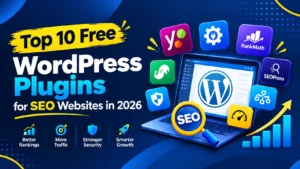
In this guide, we will look at the top 10 free WordPress plugins for SEO websites in 2026 and explain what each plugin can do.
Why Do You Need SEO Plugins for WordPress?
Search engine optimisation includes many small tasks. You need to manage page titles, meta descriptions, sitemaps, redirects, structured data, images, website speed and more.
Doing everything manually can take a lot of time.
A good SEO plugin can make many of these tasks easier.
For example, an SEO plugin can help you:
- Create XML sitemaps
- Edit SEO titles
- Add meta descriptions
- Manage canonical URLs
- Add Schema markup
- Improve content optimisation
- Manage redirects
- Control indexing settings
- Connect SEO tools
- Find basic SEO issues
This does not mean that an SEO plugin will automatically rank your website.
Your rankings still depend on factors such as content quality, website structure, technical SEO, backlinks, search intent, competition and overall website experience.
If you are running a business in Mississauga and want to improve your online visibility, working with a professional digital marketing agency in Mississauga can also help you build a complete SEO strategy instead of depending only on plugins.
Top 10 Free WordPress Plugins for SEO Websites
-
Rank Math SEO
Rank Math SEO is one of the most popular SEO plugins for WordPress.
The free version provides many useful features for managing on-page and technical SEO. It can help with SEO titles, meta descriptions, XML sitemaps, Schema markup and other SEO settings.
The plugin also provides an SEO analysis system that can help website owners check different SEO elements.
Why use Rank Math?
Some useful features include:
- SEO title and meta description management
- XML sitemap
- Schema markup
- SEO analysis
- Redirection features
- Image SEO options
- Local SEO options
- WooCommerce SEO support
Rank Math can be a good choice for business websites, blogs and online stores.
It is especially useful for users who want many SEO features from one plugin.
Best for
Rank Math is suitable for:
- Business websites
- SEO agencies
- Blogs
- Local businesses
- WooCommerce websites
-
Yoast SEO
Yoast SEO has been one of the most recognised WordPress SEO plugins for many years.
It is popular among beginners because the interface is easy to understand.
The plugin can help you manage important SEO elements such as titles, meta descriptions, XML sitemaps and canonical URLs.
It also provides content analysis and readability suggestions.
Why use Yoast SEO?
The free version can help with:
- SEO titles
- Meta descriptions
- XML sitemaps
- Canonical URLs
- Content analysis
- Readability checks
- Basic Schema features
Yoast can be a good option if you want a simple SEO plugin without too many technical settings.
Best for
Yoast SEO is suitable for:
- Bloggers
- Small businesses
- Content websites
- Beginners
- Service websites
-
All in One SEO
All in One SEO or AIOSEO is another popular SEO plugin for WordPress.
It provides tools for managing different parts of website SEO from the WordPress dashboard.
The plugin can help with XML sitemaps, SEO titles, meta descriptions, Schema and other SEO settings.
It also supports WooCommerce websites.
Why use AIOSEO?
Useful features include:
- SEO titles and descriptions
- XML sitemaps
- Schema markup
- WooCommerce SEO
- Basic local SEO features
- Social media SEO
- SEO analysis
AIOSEO can be a good choice for businesses that want a complete SEO setup without using many different plugins.
Best for
AIOSEO is suitable for:
- Business websites
- Online stores
- Local businesses
- Blogs
- Service websites
-
SEOPress
SEOPress is a lightweight WordPress SEO plugin that provides many important SEO features.
The free version allows you to manage titles and meta descriptions and create XML and HTML sitemaps.
It also provides content analysis and social media related settings.
Why use SEOPress?
Some useful features include:
- Meta title management
- Meta description management
- XML sitemaps
- HTML sitemaps
- Social media tags
- Content analysis
- Basic Schema support
SEOPress is worth considering if you want a clean SEO plugin with a simple interface.
Best for
SEOPress is useful for:
- Small businesses
- Blogs
- Agencies
- Service websites
- WordPress professionals
-
The SEO Framework
The SEO Framework is designed for users who prefer a simple and lightweight SEO solution.
Instead of giving users a very large number of settings, the plugin focuses on handling many SEO tasks automatically.
This can be useful for website owners who do not want to spend a lot of time changing SEO settings.
Why use The SEO Framework?
It can help with important areas such as:
- SEO titles
- Meta descriptions
- Canonical URLs
- XML sitemaps
- Social sharing information
- Basic technical SEO
The simple setup can also be useful for website owners who want to avoid unnecessary settings.
Best for
It can work well for:
- Small websites
- Blogs
- Business websites
- Users who prefer simple SEO tools
-
Slim SEO
Slim SEO takes a different approach to WordPress SEO.
The plugin focuses on automatic SEO configuration. This makes it useful for people who do not want to manually configure every SEO option.
It can handle several common SEO tasks automatically.
Why use Slim SEO?
It can help with:
- Meta tags
- XML sitemaps
- Schema markup
- Breadcrumbs
- Image SEO
- Basic technical SEO
If you are new to WordPress SEO and want a simple setup, Slim SEO can be worth trying.
Best for
Slim SEO is suitable for:
- Beginners
- Small websites
- Business websites
- Simple blogs
-
Redirection
Redirection is not a complete SEO plugin. It is a supporting plugin that can be very useful for technical SEO.
Websites often change URLs.
For example, you may change:
example.com/old-page/
to:
example.com/new-page/
If the old URL is no longer available, visitors may see a 404 error.
A 301 redirect can send users and search engines from the old URL to the new one.
Redirection makes it easier to manage these redirects inside WordPress.
Why is Redirection useful for SEO?
It can help when:
- You change page URLs
- You delete pages
- You move content
- You have broken URLs
- You migrate a website
Best for
Redirection is useful for almost every growing WordPress website.
-
LiteSpeed Cache
Website speed is an important part of providing a good user experience.
LiteSpeed Cache is mainly a website performance plugin. It provides caching and optimisation features that can help improve website loading performance when used with a compatible LiteSpeed server.
The plugin can also provide different optimisation options for images, CSS, JavaScript and other website resources.
Why use LiteSpeed Cache?
It can help with:
- Page caching
- Browser caching
- Image optimisation
- CSS optimisation
- JavaScript optimisation
- Website performance
A faster website can provide a better experience for visitors.
However, you should always test performance after enabling optimisation settings because aggressive settings can sometimes affect how a website works.
Best for
LiteSpeed Cache is useful for:
- Business websites
- Blogs
- WooCommerce websites
- Content websites
-
Smush
Images are important for websites. But large image files can slow down pages.
Smush is a WordPress image optimisation plugin that can help reduce image file sizes.
This can be useful for websites that use many product images, banners, blog images or portfolio images.
Why use Smush?
It can help with:
- Image compression
- Image resizing
- Image optimisation
- Reducing image file size
Before uploading images to WordPress, it is also a good practice to use the correct image size and modern formats where suitable.
Best for
Smush can be useful for:
- Blogs
- Online stores
- Portfolio websites
- Business websites
- Image-heavy websites
-
Site Kit by Google
Site Kit by Google is different from traditional SEO plugins.
It connects your WordPress website with Google’s services and allows you to view useful website information from your WordPress dashboard.
It can connect services such as Google Search Console and Google Analytics.
Why use Site Kit?
It can help website owners understand:
- Search traffic
- Website visitors
- Search queries
- Page performance
- Website engagement
This information can be useful when planning an SEO strategy.
For example, if a page is getting impressions but very few clicks, you may want to review its title and meta description.
Best for
Site Kit is useful for:
- Business owners
- Bloggers
- SEO professionals
- Marketing teams
- Website managers
Which WordPress SEO Plugin Should You Choose?
There is no need to install every SEO plugin from this list.
In fact, installing multiple main SEO plugins can create problems because they may try to control the same SEO settings.
A better approach is to select one main SEO plugin.
Here is a simple comparison:
| Plugin | Best For |
| Rank Math SEO | All-round SEO |
| Yoast SEO | Beginners |
| AIOSEO | Business and WooCommerce websites |
| SEOPress | Clean SEO setup |
| The SEO Framework | Lightweight SEO |
| Slim SEO | Automatic SEO |
| Redirection | 301 redirects |
| LiteSpeed Cache | Website speed |
| Smush | Image optimisation |
| Site Kit | Google data |
Best Free WordPress SEO Plugin for Beginners
If you are new to WordPress SEO, Yoast SEO can be a simple starting point.
Its interface is easy to understand and it provides basic tools for managing important SEO elements.
Rank Math is another strong option if you want more features in the free version.
The best choice depends on your website and your level of SEO knowledge.
Best Free WordPress SEO Setup for a Business Website
For a normal business website, you can keep your plugin setup simple.
For example:
One main SEO plugin
Choose Rank Math SEO, Yoast SEO, AIOSEO or SEOPress.
One caching or performance plugin
Choose a suitable caching solution based on your hosting setup.
One redirect plugin
Use Redirection if your SEO plugin does not already provide the redirect features you need.
One image optimisation plugin
Use Smush or another suitable image optimisation tool if your hosting setup does not already handle image optimisation.
Google tracking
Use Site Kit if you want a simple way to connect your WordPress website with Google services.
This approach keeps your website easier to manage.
WordPress SEO Plugins Are Not Enough for Ranking
One important thing to understand is that installing an SEO plugin does not guarantee Google rankings.
An SEO plugin can help you manage your website. But you still need a proper SEO strategy.
Your website should have:
- Useful and original content
- Proper keyword research
- Good page structure
- Internal links
- Optimised images
- Fast loading pages
- Mobile-friendly design
- Clean URLs
- Proper technical SEO
- Quality backlinks
- Good user experience
You also need to keep checking your search performance and update your content when required.
For businesses that want professional help, digital marketing services in Brampton can include SEO, content marketing, technical SEO, link building and other online marketing activities.
Common WordPress SEO Mistakes to Avoid
Installing Multiple SEO Plugins
Do not install Rank Math, Yoast SEO, AIOSEO and SEOPress together.
Choose one main SEO plugin.
Ignoring Website Speed
A website with useful content can still provide a poor experience if pages take too long to load.
Check your website speed regularly and optimise images, caching and other resources where needed.
Using Very Large Images
Uploading a 5 MB image when a much smaller file is enough can increase page loading time.
Resize and compress images before or after uploading them.
Creating Duplicate Content
Avoid creating multiple pages targeting the same keyword with almost the same content.
Each important page should have a clear purpose.
Ignoring Broken Links
Broken links can create a poor experience for visitors and can make website management harder.
Check your website regularly and fix important broken links.
Forgetting Internal Links
Internal linking helps visitors move between related pages.
It can also help search engines understand the structure of your website.
For example, if your website has a page about SEO services, you can naturally link to it from relevant blog posts using anchor text such as SEO services in Brampton.
How to Use SEO Plugins Properly
Installing a plugin is only the first step.
After installation, spend some time setting up your website properly.
Start with the following:
Step 1. Set Your Website Title
Make sure your website name and basic information are correct.
Step 2. Create XML Sitemap
Check that your XML sitemap is working.
Step 3. Connect Google Search Console
Connect your website with Google Search Console so you can monitor search performance.
Step 4. Set SEO Titles
Create clear titles for important pages.
Step 5. Write Useful Meta Descriptions
Meta descriptions should explain what visitors can expect from the page.
Step 6. Check Indexing
Make sure important pages are allowed to be indexed and pages that should not appear in search results are handled correctly.
Step 7. Add Internal Links
Connect related pages naturally.
Step 8. Check Website Speed
Test your important pages and improve loading speed where required.
Final Thoughts
WordPress gives website owners many options for improving SEO.
Plugins such as Rank Math SEO, Yoast SEO, AIOSEO, SEOPress and The SEO Framework can help manage important SEO tasks.
Supporting plugins such as Redirection, LiteSpeed Cache and Smush can help with redirects, performance and images.
But you do not need to install every plugin.
A simple setup with one main SEO plugin and a few supporting tools is usually better than having too many plugins doing similar work.
If you are running a business website in Mississauga , SEO should also be part of a larger online marketing plan. Good content, technical SEO, keyword research, local search optimisation and quality links all play a role in improving your website visibility.
For businesses looking for professional support, choosing the right Digital Marketing Company in Mississauga can help you build a proper SEO plan based on your business goals and target customers.
The main goal should not be to install more SEO plugins. The goal should be to build a website that is useful for visitors, easy for search engines to understand and regularly improved based on real search data.